Battery App Accuracy: Why Two Apps Show Different Readings
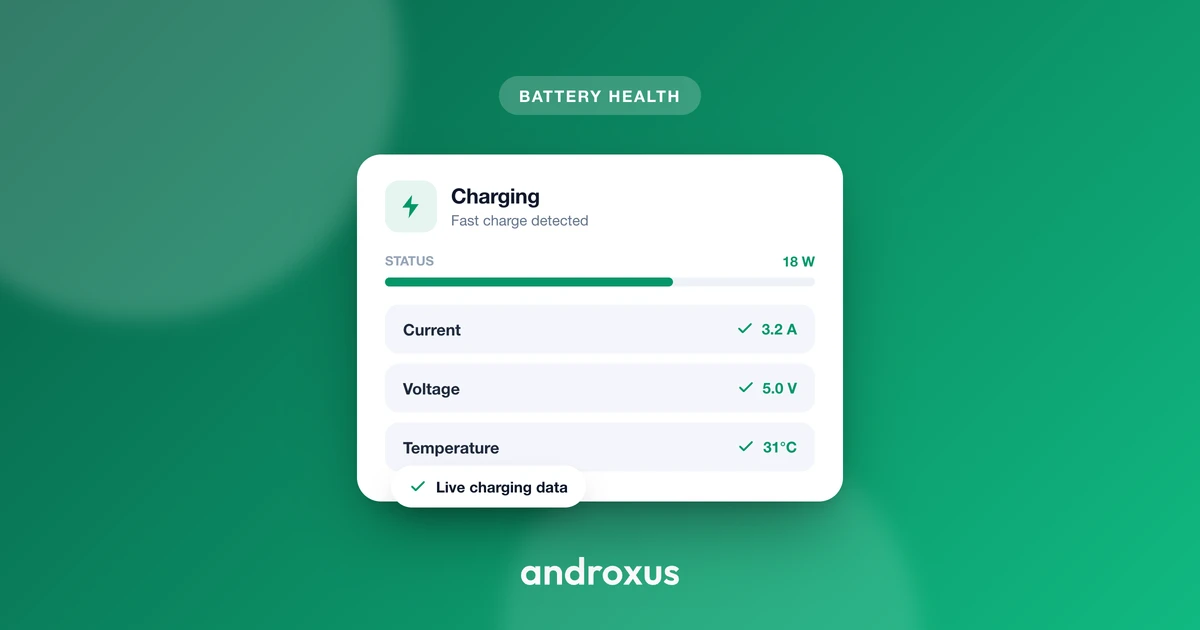
You plug in your phone, open two battery apps side by side, and get two different numbers. One says 2,450 milliamps, the other says 2.45. One shows a positive current while charging, the other shows negative. Neither app is lying, and neither is necessarily broken, they're just reading the phone's hardware in different ways.
Quick answer: Battery app accuracy differs between apps on the same phone because they parse Android's BatteryManager current values differently. The official unit is microamperes, but some device firmware reports milliamps instead, causing 1,000x discrepancies. Positive current is supposed to mean charging and negative means discharging, but firmware sign bugs exist on real devices, and a phone can also be genuinely net-discharging under load even while plugged in. Some apps read instantaneous current while others read a fuel-gauge-averaged value over an undocumented window. Battery health, meanwhile, is never a stored spec, it's always a calculated ratio of two capacity estimates, so small differences between apps are expected and normal.
What you'll learn
- The four concrete technical causes behind conflicting battery readings on the same phone
- Why a 1,000x gap between two apps points to a unit conversion bug, not a hardware fault
- What positive and negative current actually mean, and why a negative number while charging isn't always an error
- Why battery health is always an estimate, never a value your phone has stored since manufacture
- A repeatable way to sanity-check any reading before trusting it
Two Trustworthy Apps, Two Different Numbers
It's a common moment of doubt: you check your charging speed in one app, then open a second one to confirm, and the numbers don't match. Sometimes they're close. Sometimes they're wildly different, one showing single digits and the other showing thousands.
Both apps can be reading the exact same underlying Android system correctly and still disagree. The reason traces back to four specific, documented sources of inconsistency in how individual phone makers implement Android's own BatteryManager interface: measurement units, sign convention, instantaneous versus averaged current, and how battery health gets calculated rather than read. None of these are bugs in the Android platform itself, they're inconsistencies introduced at the device and firmware level, which is exactly why the same app can behave differently across two phone models.
Microamps vs. Milliamps: The 1,000x Decimal Trap
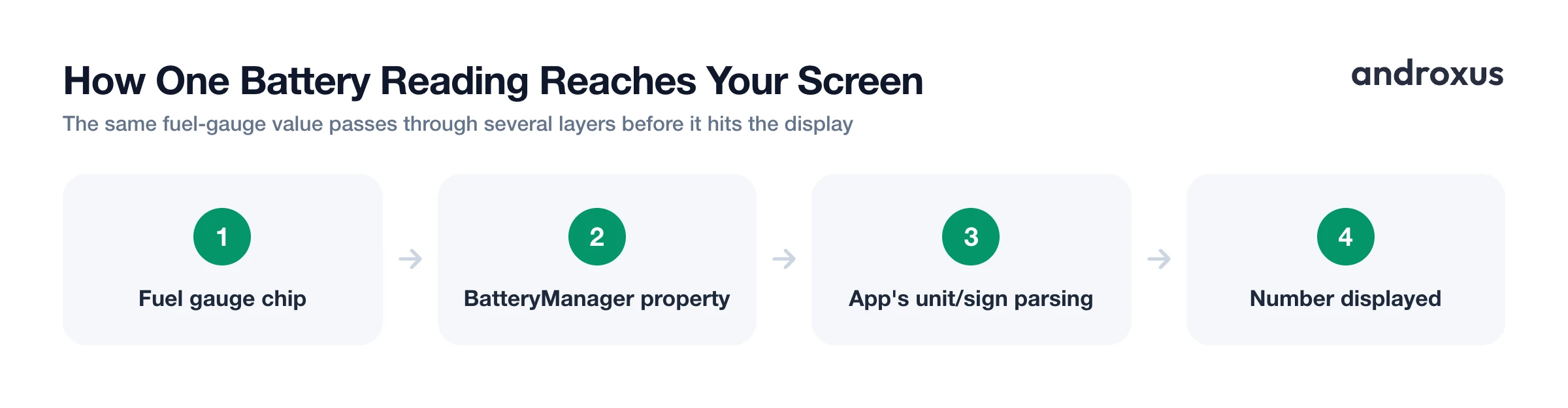
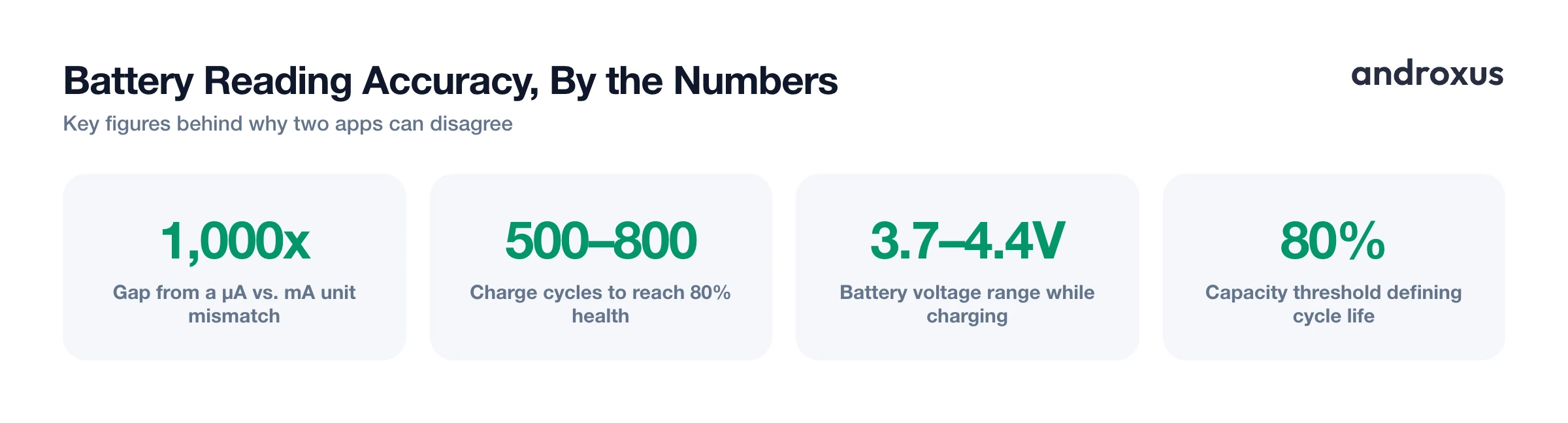
Android's BatteryManager.BATTERY_PROPERTY_CURRENT_NOW, added in API level 21, is documented to return instantaneous battery current in microamperes, as an integer. That's the spec. In practice, some OEM kernel and hardware abstraction layer implementations don't follow it cleanly, and effectively report the value already scaled to milliamps. An app that assumes microamps and divides by 1,000 to display milliamps will land exactly 1,000 times lower than an app that trusts the raw value as-is and displays it directly.
This is the single most common reason two apps look wildly wrong to each other. A phone drawing a real 2,450 milliamps might display as "2450" in one app and "2.45" in another, and both numbers technically trace back to the same underlying value, just interpreted with a different unit assumption.
Property availability itself also varies by device. BATTERY_PROPERTY_CURRENT_NOW depends on the OEM's kernel driver actually populating the underlying power_supply node Android reads from, and on some phone models over the years that node has been missing or unpopulated while working correctly on other models from the same era. When a property isn't implemented, it returns either 0 or a placeholder minimum integer value depending on which getter method the app calls, and a poorly written app might display that placeholder as a real reading instead of recognizing it as "unsupported."
Positive or Negative: The Sign Convention Fight
Per Android's official documentation and AOSP source, a positive current value means net current is entering the battery from a charge source, meaning it's charging, and a negative value means net current is leaving the battery, meaning it's discharging. This applies to both the instantaneous and averaged current properties.
Real firmware doesn't always honor this. Publicly documented reports describe devices such as the Xiaomi Mi 8 running MIUI 10 on Android 9 showing negative current values while actively plugged in and charging, for example minus 2000 instead of the spec-correct plus 2000. That's a genuine firmware sign inversion, and any app reading that device's raw value inherits the same inverted sign unless it applies a device-specific correction.
But a negative reading while plugged in isn't automatically a sign of a broken charger or firmware bug either. It can be genuine net discharge: if the phone's active power draw, screen brightness, CPU load, radios, exceeds what a low-wattage USB source is supplying at that moment, the battery is actually losing charge even while the cable is connected. Because a real net-discharge state and a sign-inversion bug produce the identical visible number, you can't tell which situation you're in from the sign alone, you need a control test.
Instantaneous vs. Averaged Current: Two Legitimate Numbers
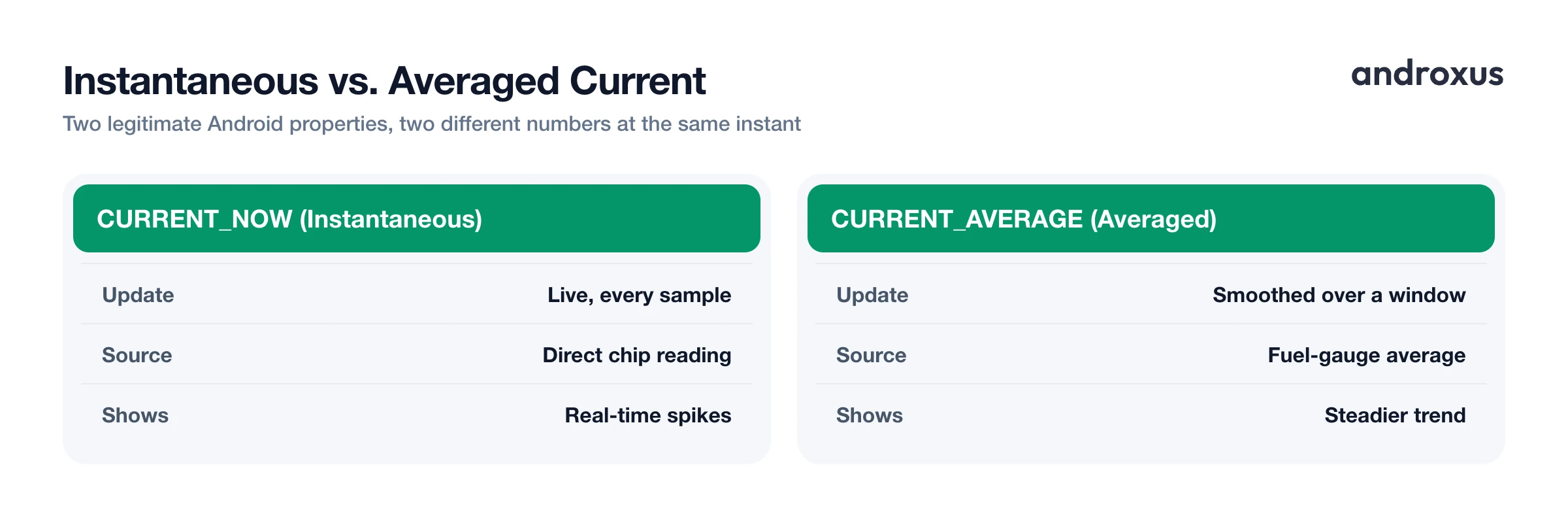
Android exposes two distinct current properties: BATTERY_PROPERTY_CURRENT_NOW, which is instantaneous, and BATTERY_PROPERTY_CURRENT_AVERAGE, which is averaged. Both were added in API level 21. Android's own API documentation states that the time period over which the average is computed depends on the fuel gauge hardware and its configuration, meaning the averaging window is not standardized across chipsets or manufacturers.
These numbers originate from a dedicated fuel gauge chip, commonly from vendors like Texas Instruments or Maxim, or built into the phone's power management IC, sitting between the battery, the charger circuit, and the main processor. It uses a built-in coulomb counter, often with 16-bit resolution, accessed over an I2C bus internal to the device.
Because of this, two apps sampling at the same second can both be correct: one shows the live instantaneous spike, the other shows a fuel-gauge-smoothed average covering an unknown, hardware-defined window. Neither is wrong, they're answering slightly different questions. Apps that maintain device-specific correction tables for known unit and sign quirks, which is how AmpereFlow approaches this, reduce this kind of cross-device inconsistency rather than trusting the raw platform value blindly on every model.
Sampling Interval, Doze, and App Standby: Why the Graph Looks Different
Android's ACTION_BATTERY_CHANGED sticky broadcast fires on system-driven battery state changes, level change, plug or unplug, temperature or voltage change, rather than on a fixed clock interval. How densely any app can sample partly depends on how often the system itself decides to update that intent.
Doze mode, introduced in Android 6.0 Marshmallow, defers background CPU and network activity, ignores wakelocks, and defers alarms and scheduled jobs when a device is unplugged, stationary, and has its screen off. App Standby similarly throttles apps the system classifies as idle based on recent usage. Doze does not engage while the device is plugged in and actively charging, so a live charging session is typically sampled without Doze-related throttling. But an app tracking overnight idle discharge in the background is subject to deferred wake windows, producing visible gaps or coarser data points on that graph.
A foreground app with the screen on can sample every second or two. The same app pushed to the background is subject to job scheduling and standby-bucket restrictions, so its logged history for an identical session can have noticeably fewer data points than a competitor reading the same phone in the foreground at that moment.
Battery Health Is a Computed Estimate, Not a Stored Spec
BatteryManager.BATTERY_PROPERTY_CHARGE_COUNTER returns the battery's remaining capacity in microampere-hours. It does not return the battery's original design capacity, and there's no equivalent public Java API constant for design capacity itself. Design capacity typically lives in a lower-level kernel power_supply file, so any on-device health estimate is arithmetic, not a lookup.
The math is simple: current full-charge capacity divided by design capacity, times 100. For example, 3,600,000 microampere-hours of present full-charge capacity against a 4,500,000 microampere-hour design rating works out to 80 percent. But the inputs to that formula vary in availability and format across devices, which is why two apps computing the same ratio on the same phone can land a few points apart.
Coulomb counting, the standard fuel-gauge method for tracking remaining charge, drifts over time because it has no fixed reference point. Manufacturers periodically recalibrate it against open-circuit voltage readings once the battery reaches full charge. Android 14 added a public cycle-count field and a state-of-health property that any app can read, but related battery details, like manufacturing date and charging policy, remain restricted to apps holding the BATTERY_STATS permission, a system-level permission a normal Play Store app can't request at install time, it requires a manual ADB grant. Device-level support for reporting an accurate state-of-health figure also still varies by manufacturer. So most third-party apps, AmpereFlow included, compute and cross-check their own estimate instead of relying on a single system value that isn't consistently available.
The table below summarizes each cause and what it actually means when you see it:
| Cause | What you'll see | What it actually means |
|---|---|---|
| Unit mismatch (µA vs. mA) | Two apps differ by roughly 1,000x on the same reading (e.g., 2,450 vs. 2.45) | BATTERY_PROPERTY_CURRENT_NOW is documented in microamperes, but some device firmware reports it pre-scaled to milliamps; one app is likely not converting |
| Sign convention | One app shows negative current while the phone is plugged in and charging | Official convention: positive means current entering the battery, negative means current leaving it. Some device firmware inverts this; alternatively, the phone may genuinely be net-discharging under load despite being plugged in |
| Instantaneous vs. averaged current | Two apps show different values checked at the same moment, off by a moderate, not 1,000x, amount | One is reading instantaneous current; the other is reading a fuel-gauge-averaged current, whose averaging window is set by the hardware, not by Android itself |
| Sampling interval and Doze/App Standby | Charge graph looks smooth; overnight discharge graph has gaps or fewer points | ACTION_BATTERY_CHANGED updates on system events, not a fixed clock; Doze and App Standby throttle background sampling when the device is idle, but not while actively charging |
| Battery health percentage | Two apps show health estimates several points apart on the same device | Health is computed as remaining full-charge capacity divided by design capacity, both estimates; Android 14 exposes cycle count and state of health, but related details still need an ADB-granted permission on many devices, so each app calculates its own figure |
How to sanity-check a battery app reading
- Check the order of magnitude first. Compare the two readings' raw numbers. If one app shows roughly 1,000 times the other, for example 2,450 versus 2.45, it is almost always a microamp-versus-milliamp unit mismatch, not an actual measurement discrepancy.
- Test the sign convention with a known state change. Unplug the phone while the app is open. The current should flip to negative, meaning discharging, within a second or two. If it doesn't flip, or if it already read negative while charging, treat that specific reading as unreliable for that device.
- Cross-check against your charger's rated output. Divide the charger's rated wattage, for example a common 18 to 25 watt USB-PD or Quick Charge adapter, by the battery's voltage during charging, roughly 3.7 volts near empty up to about 4.2 to 4.4 volts at a full charge, to get a rough plausible current ceiling. A reading wildly above that ceiling suggests a scaling bug.
- Distinguish an instantaneous spike from an averaged number. If two apps disagree by a moderate, not 1,000x, amount at the same instant, one is likely showing instantaneous current and the other a fuel-gauge-averaged value over an unknown hardware window.
- Never judge health or charging speed from one reading. Current swings with screen brightness, CPU load, and radio activity, and health is a computed ratio, not a stored spec, so treat any single reading as a snapshot rather than a verdict.
- Track the trend across three to five full charge sessions. Log the reported health percentage, average charging watts, and time-to-80-percent across several complete cycles. Coulomb-counting fuel gauges drift and get recalibrated at full charge, so short-term noise smooths out once you have multiple sessions to compare.
Key takeaways
- Battery app accuracy issues between two apps on the same phone almost always trace back to unit mismatches (microamps vs. milliamps), sign convention differences, instantaneous versus averaged current, or how battery health gets calculated.
- A roughly 1,000x gap between two readings is a strong signal of a unit conversion error, not a hardware fault.
- A negative current reading while charging can mean either a firmware sign bug or genuine net discharge under heavy load, and only unplugging the phone to watch the number change can tell you which.
- Battery health is always a computed ratio of two capacity estimates, never a value your phone has stored since it left the factory, so small differences between apps are normal and expected.
- Trust trends over several full charge sessions, not any single reading, when judging charging speed or battery condition.
Frequently asked questions
Why do two battery apps show different current readings at the exact same moment?
Because they are reading different things under the hood. Android's BatteryManager can report current as BATTERY_PROPERTY_CURRENT_NOW (instantaneous) or BATTERY_PROPERTY_CURRENT_AVERAGE (smoothed by the fuel gauge chip over a window that Android's own documentation says depends on the hardware), the official unit is microamperes but some device firmware reports milliamps instead, and unimplemented properties on some devices return 0 or a placeholder value. Two correctly written apps can legitimately disagree by 1,000x (a unit mismatch) or by a smaller amount (instantaneous versus averaged) without either one being wrong.
Why does my phone show a negative current number while it is charging?
Under Android's documented convention, positive current means it is entering the battery (charging) and negative means it is leaving (discharging). A negative number while plugged in usually means one of two things: the phone's active power draw genuinely exceeds what a low-wattage source, like a weak USB port, is supplying, so the battery is net discharging even while connected, or the device's firmware has a sign-convention bug. Firmware sign inversions have been publicly documented on some devices, including reports of the Xiaomi Mi 8 on MIUI 10 and Android 9 showing negative values during active charging.
Is battery health a value my phone actually measures and stores?
No. There is no single sensor or stored spec labeled battery health on most Android phones. It is calculated as remaining full-charge capacity divided by the battery's original design capacity, times 100. The remaining capacity comes from BatteryManager's charge counter, reported in microampere-hours, while the design capacity typically lives in a lower-level system file that is not part of Android's public app-facing API. Android 14 added a public cycle-count field and a state-of-health property, but related details like manufacturing date and charging policy stay restricted to apps holding the BATTERY_STATS permission, a system-level permission most Play Store apps cannot get without an ADB command, and device-level support for reporting an accurate figure still varies, so most apps still compute and cross-check their own estimate.
What is a battery charge cycle, and how many cycles does a phone battery typically last?
A charge cycle is the cumulative use of 100 percent of a battery's capacity, which can be spread across multiple partial charges, for example two 50 percent top-ups equal one cycle. The industry-standard definition of a battery's cycle life is the number of cycles it can complete before capacity fades to 80 percent of its original value. Smartphone lithium-ion cells are commonly rated in the 500 to 800 cycle range to reach that 80 percent threshold, though this varies by cell chemistry and manufacturer.
Why does my battery graph or reading freeze, skip, or lag while the app is in the background?
Android's ACTION_BATTERY_CHANGED update fires on system-driven events rather than a fixed clock, and background apps are subject to Doze mode and App Standby, which defer jobs, alarms, and network access for a device that is unplugged, stationary, and has its screen off. Doze does not engage while the phone is actively charging, so a live charging session usually samples smoothly, but an overnight idle-discharge log tracked in the background can show gaps or coarser data points because the system is deliberately throttling background wakeups to save power.
How can I sanity-check whether a battery reading is trustworthy?
Check magnitude first, since a 1,000x difference between two apps usually means one is misreading microamps as milliamps. Check the sign against a known condition by unplugging the phone and confirming the number goes negative, meaning discharging. Compare the number to your charger's rated wattage divided by the battery's voltage during charging, which runs roughly 3.7 volts near empty up to about 4.2 to 4.4 volts at a full charge, to see if it is in a plausible range. Never judge health or charging behavior from a single reading; look at the trend across several full charge sessions instead.
