What Is OLED Burn-In and How Banners Avoid It
Turning an old phone into a store sign or event banner is a popular trick, but it raises a fair question: will hours of the same bright message wear out the screen? The answer depends less on the phone and more on how the content behaves on it.
Quick answer: OLED burn-in is permanent pixel damage caused by displaying the same static, bright element in the same screen position for thousands of hours. It happens because OLED pixels are individually lit organic diodes that age unevenly under heavy, uneven use, unlike LCD screens that share one backlight. A scrolling banner avoids most of this risk because moving text keeps any single pixel lit only briefly, rather than parking bright content in one fixed spot.
What you'll learn
- What OLED burn-in actually is and how it differs from harmless, temporary image retention
- Why static, bright content is the real risk factor, not phone use in general
- What built-in Android settings already do to reduce screen wear
- Why a scrolling banner puts far less stress on a display than a static sign
- Simple habits that cut real-world burn-in risk during long signage sessions
What OLED Burn-In Actually Is
Most modern Android phones, especially flagship and mid-range models, use OLED or AMOLED screens, where every pixel is its own tiny organic light source. That is different from LCD screens, which share a single backlight sitting behind the whole panel and simply block or pass light through each pixel.
Because each OLED pixel lights itself, each one also ages on its own. There are two related but distinct effects worth separating:
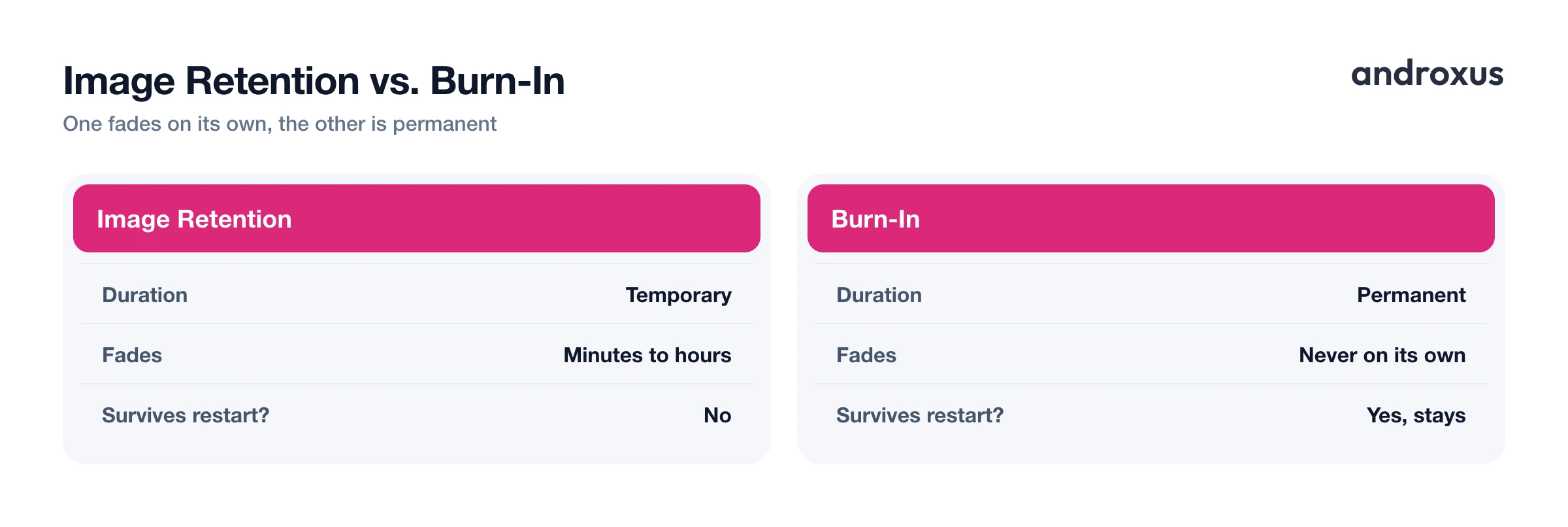
- Image retention is the temporary version. It shows up as a faint ghost image after long static content, and it fades on its own within minutes to hours once the content on screen changes.
- Burn-in is the permanent version. The organic compounds in pixels that were driven hard for very long periods degrade unevenly, leaving a faint shadow that a refresh, restart, or software fix cannot remove.
Burn-in results from displaying the same static element in the same screen position for thousands of hours, not from a single day of normal use. LCD and IPS panels do not have individually aging per-pixel diodes, so true burn-in is essentially specific to OLED-type screens rather than LCD.
Why Static, Bright Content Is the Real Risk
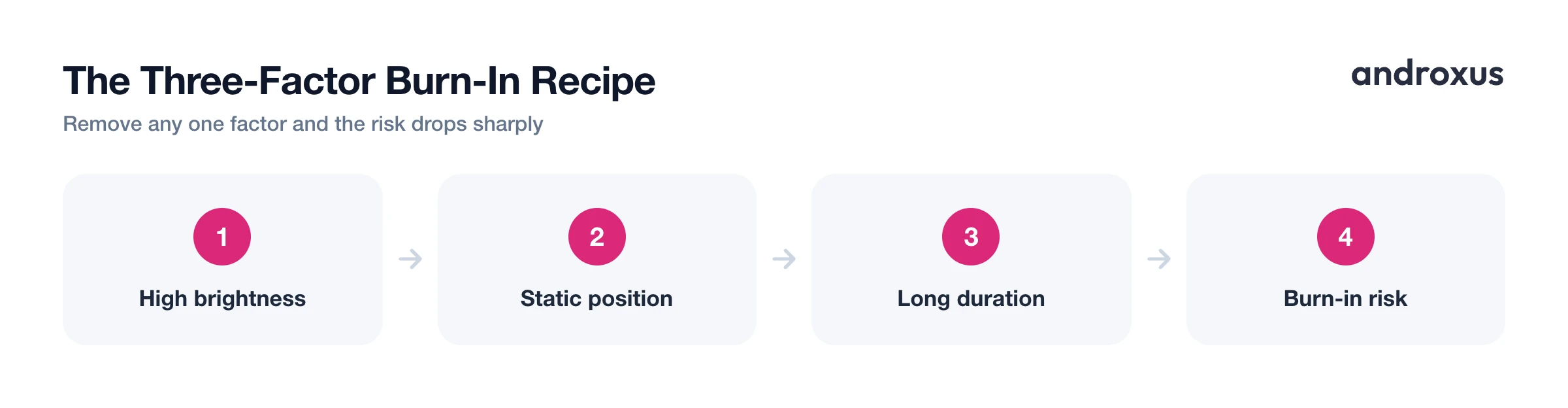
The combination that ages OLED pixels fastest is simple: high brightness, a static element that doesn't move, and long, repeated duration in the exact same spot on screen. Remove any one of those three factors and the risk drops sharply.
This is why the classic real-world burn-in cases all share a pattern. TV channel logos parked in a corner, video game HUDs with a fixed health bar, news tickers that repeat the same layout for years, and kiosk or signage text left motionless for many hours a day are the textbook examples referenced by display manufacturers.
It's the usage pattern that matters more than any single session. Heavy daily use of the same static content, repeated day after day for months or years, is what actually produces visible burn-in, not one afternoon of use. A phone used as a signboard with one word or price frozen motionless at full brightness for a full retail shift or all-day event, repeated over many days, edges toward this risky pattern. Brightness compounds duration too: pixels held at peak brightness wear faster than the same pixels shown at moderate brightness for the same length of time.
Built-In Defenses: What Screens and Android Already Do
Phone makers and Android itself already build in a few defenses against this kind of wear, mostly aimed at always-on displays and long-running static UI elements.
| Defense | What it does | Where to find it |
|---|---|---|
| Pixel shifting | Nudges an image by a pixel or two every few minutes so no single pixel stays lit at full strength indefinitely | Built into OLED TVs and Android's always-on display |
| Dark theme | Reduces how many pixels run at high brightness, since OLED black pixels are switched off rather than dimmed | Settings > Display > Dark theme |
| Adaptive brightness | Keeps the screen only as bright as the ambient light requires instead of running near maximum by default | Settings > Display > Adaptive brightness |
| Screen timeout | Puts the display to sleep after inactivity, capping how long any single static frame can stay lit | Settings > Display > Screen timeout |
These are standard Android display options rather than signage-specific features, but they point at the underlying principle behind almost every burn-in defense: less static content, less brightness, and less dwell time all add up to less pixel stress.
Why a Scrolling Banner Is a Different Load Than a Static Sign
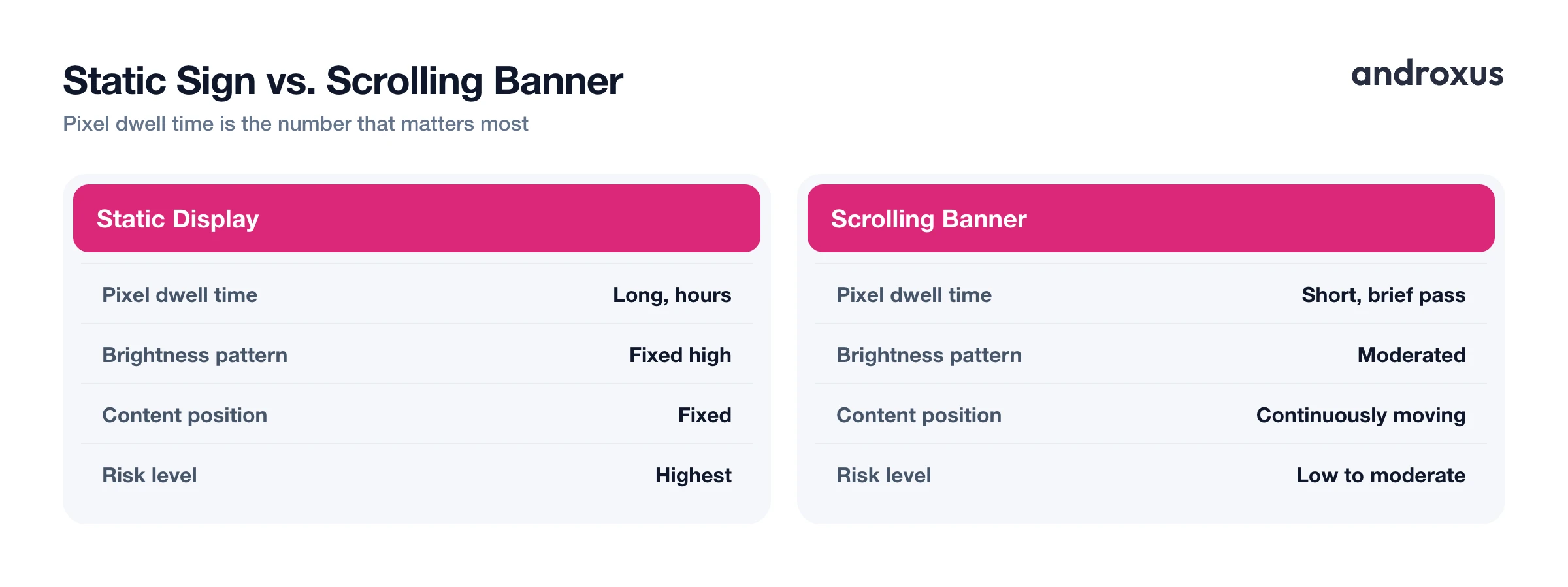
The key variable behind burn-in is pixel dwell time: how long an individual pixel sits at the same brightness in the same position on screen. This is the number that separates a genuinely risky display setup from a harmless one.
A scrolling marquee moves its text and dot pattern continuously, so any single pixel is only lit briefly as characters pass over it before going dark again as the message scrolls onward. This mirrors the standard advice used in professional digital signage: rotating or moving content is treated as the primary defense against burn-in, while fixed logos or static images are treated as the highest-risk category on any commercial display.
| Factor | Static display | Scrolling banner |
|---|---|---|
| Pixel dwell time | Long, same pixels lit for hours | Short, text passes over each pixel briefly |
| Brightness pattern | Often left at fixed high brightness | Can be moderated without losing legibility |
| Content position | Fixed in one screen location | Continuously moving across the screen |
| Typical risk level | Highest | Low to moderate |
| Example use case | Frozen price sign, static kiosk message | Scrolling "SALE TODAY" or event marquee |
A static banner, the same word frozen in one spot, reproduces the worst-case burn-in scenario. A moving one avoids that outcome because no bright element parks in one place long enough to matter. This is part of why LED Flow's scrolling modes (left-to-right, right-to-left, or an optional stationary marquee) pair motion with a mostly dark, LED-dot-pattern background, and the app also includes an OLED burn-in protection feature as extra margin during long display sessions. Worth noting: LED Flow displays this simulated banner on the phone's own screen; it does not control any external or physical LED signage.
Simple Habits That Cut Real-World Risk
A handful of habits account for most of the practical difference between a phone that shows no wear after months of signage use and one that develops a faint shadow.
- Keep brightness at the level actually needed for visibility rather than maxed out by default, since brightness is the biggest multiplier on pixel wear.
- Avoid running one exact static frame at fixed brightness for many consecutive hours; give the screen occasional breaks during very long sessions.
- Prefer moving or scrolling text over a frozen banner for any display session that runs longer than an hour or two.
- Favor dark backgrounds where possible, since black OLED pixels draw no light and accumulate no wear.
- Lower brightness in dim rooms or at night using adaptive brightness rather than running a banner at maximum brightness regardless of surroundings.
These are the same fundamentals TV and signage manufacturers rely on, just applied to a phone doing a similar display job.
How to Run a Phone-Based LED Banner Without Risking OLED Burn-In
- Moderate the brightness. Set brightness to the minimum level that stays readable in the room instead of maxing it out by default, and use adaptive brightness so the screen doesn't run brighter than necessary.
- Choose scrolling over stationary text. Use a moving marquee (left-to-right or right-to-left) rather than a frozen static message for any display session running longer than an hour or two, since motion keeps individual pixels from staying lit in one spot.
- Favor a dark background. Pick a mostly black or dark canvas for the banner. On OLED screens, black pixels are switched off entirely rather than dimmed, so a dark LED-style background naturally rests more of the screen.
- Give the screen breaks. For multi-hour signage use, like a full retail shift or all-day event, pause or turn off the display periodically instead of running one static frame nonstop for eight-plus hours.
- Use a display app's built-in protection. Some banner apps, including LED Flow, include an OLED burn-in protection feature meant to reduce risk during long scrolling-display sessions. Use it if available rather than relying on defaults alone.
Key Takeaways
- OLED burn-in is permanent pixel wear caused by static, bright content held in the same screen position for thousands of hours, not by ordinary phone use.
- Image retention (temporary) and burn-in (permanent) are often confused; only the latter survives a refresh or restart.
- Pixel dwell time is the number that matters most: a moving banner keeps it short, while a frozen sign keeps it dangerously long.
- Moderating brightness, favoring dark backgrounds, and giving the screen occasional breaks are the same principles TV and signage makers rely on.
- A scrolling banner with motion and a dark background, plus features like OLED burn-in protection where available, is a far safer long-session setup than a static frozen sign.
Frequently asked questions
Does OLED burn-in really happen on phones?
Yes, it's possible, but it requires the same static, bright element to stay in the exact same screen position for thousands of hours. Typical everyday phone use rarely reaches that threshold.
What's the difference between image retention and burn-in?
Image retention is temporary: a faint ghost image that fades within minutes to hours once the content changes. Burn-in is permanent: a shadow that survives a screen refresh or restart.
Can LCD screens get burn-in too?
Not in the same way. LCD panels use one shared backlight rather than individually aging organic diodes per pixel, so true burn-in is essentially an OLED or AMOLED-specific issue.
Does a scrolling banner still risk burn-in?
The risk is much lower than with a frozen static banner. Moving text keeps pixel dwell time short, so no single pixel stays lit at peak brightness in one spot for long.
Does using a dark background help prevent burn-in?
Yes. On OLED screens, black pixels are switched off rather than dimmed, so a mostly dark background naturally reduces how many pixels are under load.
What's the single biggest thing to avoid?
Leaving one static, bright image or word frozen in the same position at high brightness for many hours a day, repeated day after day.
