Dynamic Island Android: What It Is, Can You Get It?
Every time an iPhone 14 Pro or newer owner shows off a pill that morphs to display a timer or a song, someone with an Android phone asks the same thing: can I get that too? That question is exactly why "dynamic island android" is such a common search, and the honest answer involves a bit of Apple hardware, a bit of iOS software, and a workaround that Android's openness actually makes possible.
Quick answer: Dynamic Island is Apple's interactive pill-shaped area on iPhone 14 Pro and newer that expands to show Live Activities like timers, calls, and music. Android cannot get an official version because it is proprietary Apple software tied to a specific sensor housing, but third-party apps can recreate the effect by drawing a touch-responsive overlay around the phone's existing camera cutout using Android's Accessibility Service. That overlay adds shortcut gestures; it does not change the physical screen or notch.
What you'll learn
- What Dynamic Island actually is and which iPhones have it
- Why Android cannot get an official version of the feature
- How Android apps recreate a similar interactive-pill experience
- What a camera-cutout shortcut can and cannot do on Android
- How to set one up yourself in a few minutes
What Is Dynamic Island? (And Why the iPhone Notch Disappeared)
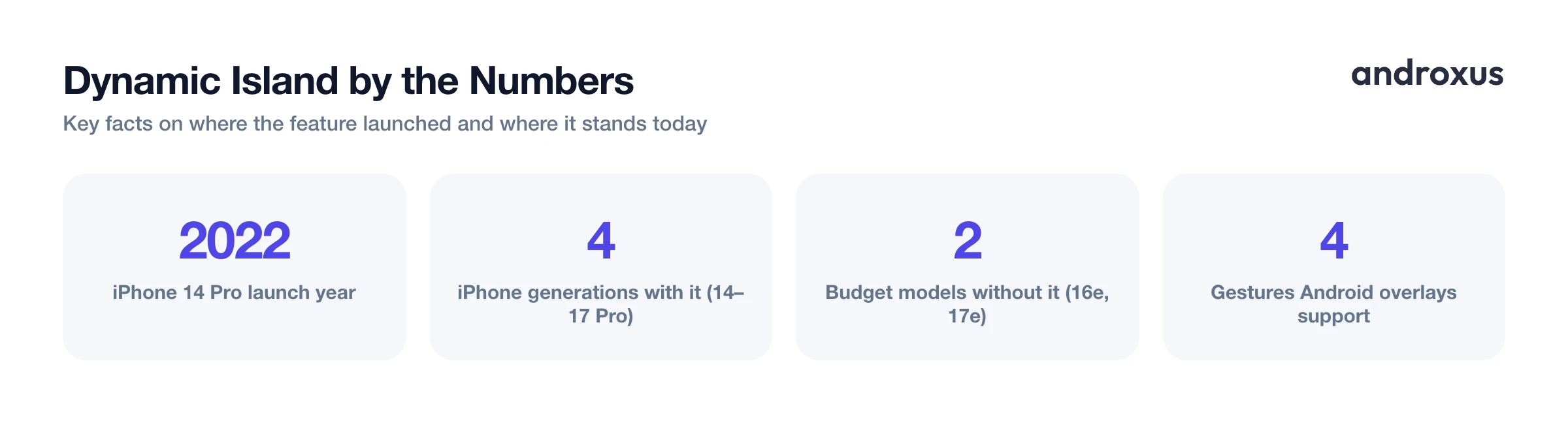
Dynamic Island is Apple's name for the interactive pill-shaped cutout area on iPhone that houses the front camera and Face ID sensors. It debuted on the iPhone 14 Pro and iPhone 14 Pro Max in September 2022, replacing the traditional notch on those models entirely.
Instead of sitting as a static black shape, the Island expands, contracts, and morphs to surface Live Activities: incoming calls, running timers, active music playback, turn-by-turn navigation, live sports scores, and updates from supported third-party apps, all without opening the app itself. Tap it to jump straight into the relevant app, or long-press it for quick controls. It can even show two Live Activities stacked at once when more than one is running.
The key detail that explains most of this article: Dynamic Island is a combination of hardware (the pill-shaped cutout housing the sensors) and Apple's iOS animation layer built specifically for that shape. The software knows exactly where the cutout is, how big it is, and animates content around it in real time. That tight hardware-software pairing is exactly why it cannot be copied onto a different operating system running on different hardware.
As of 2026, Dynamic Island ships on the iPhone 14 Pro and Pro Max, all iPhone 15 models, and all iPhone 16 and iPhone 17 models except the budget iPhone 16e and iPhone 17e, both of which kept the older notch instead.
Why Android Can't Get an Official Dynamic Island
Dynamic Island is proprietary Apple software tied to iOS and to the specific sensor housing shape found on Pro-tier iPhones. It is not an open standard or a licensable spec, so no Android manufacturer can simply build it into their phones.
Android phones use their own cutout styles instead: centered or corner punch-holes on brands like Samsung and Pixel, and a smaller number of phones with pill-shaped dual cutouts, but none of them run Apple's animation software underneath.
Android already has its own tools that cover similar ground: heads-up notifications, the notification shade, and each manufacturer's own always-on-display. They do the job of surfacing timers, calls, and music, just with a completely different look and interaction model than Apple's implementation.
Because Android is an open platform, developers can build apps that visually approximate the interactive-pill behavior using overlays layered on top of the screen. For anyone on Android who wants that Dynamic-Island-style feel, this is the realistic path, not an official OS feature.
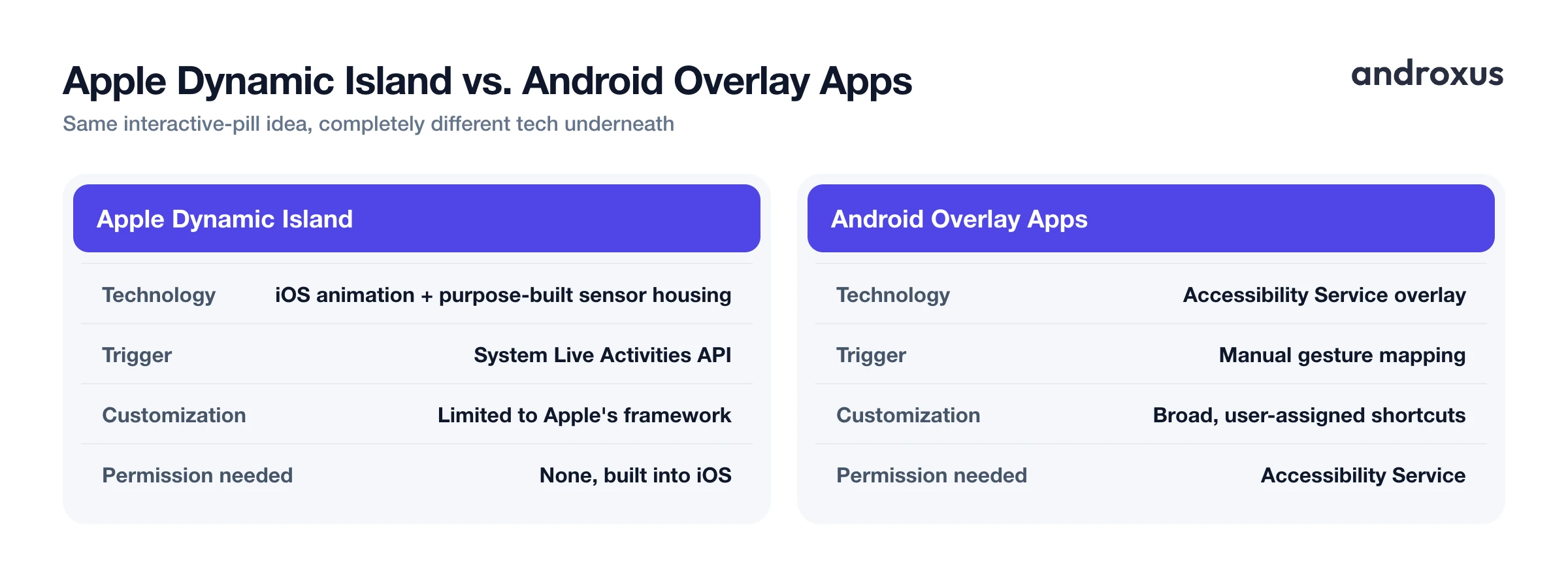
Apple Dynamic Island vs. Android Cutout-Overlay Apps
| Apple Dynamic Island (iPhone) | Android cutout-overlay apps | |
|---|---|---|
| Underlying technology | iOS software animation layer paired with a purpose-built sensor housing | Third-party app overlay using Android's Accessibility Service |
| Which devices support it | iPhone 14 Pro/Pro Max, all iPhone 15/16/17 (except the budget 16e and 17e) | Most Android phones with a camera cutout or punch-hole, app dependent |
| What triggers it | System-level Live Activities API used by supported apps | Manual gesture mapping set by the user (tap, double-tap, long-press, swipe) |
| Customization of actions | Limited to what Apple's Live Activities framework exposes | Broad; the user assigns specific shortcuts to each gesture |
| Does it change the physical screen | No, it animates within the existing cutout hardware | No, it draws a software overlay on top of the existing cutout |
| Data handling / permission required | Built into iOS, no extra permission | Requires granting Accessibility Service, so review what the app discloses |
How Android Apps Recreate the Dynamic Island Experience
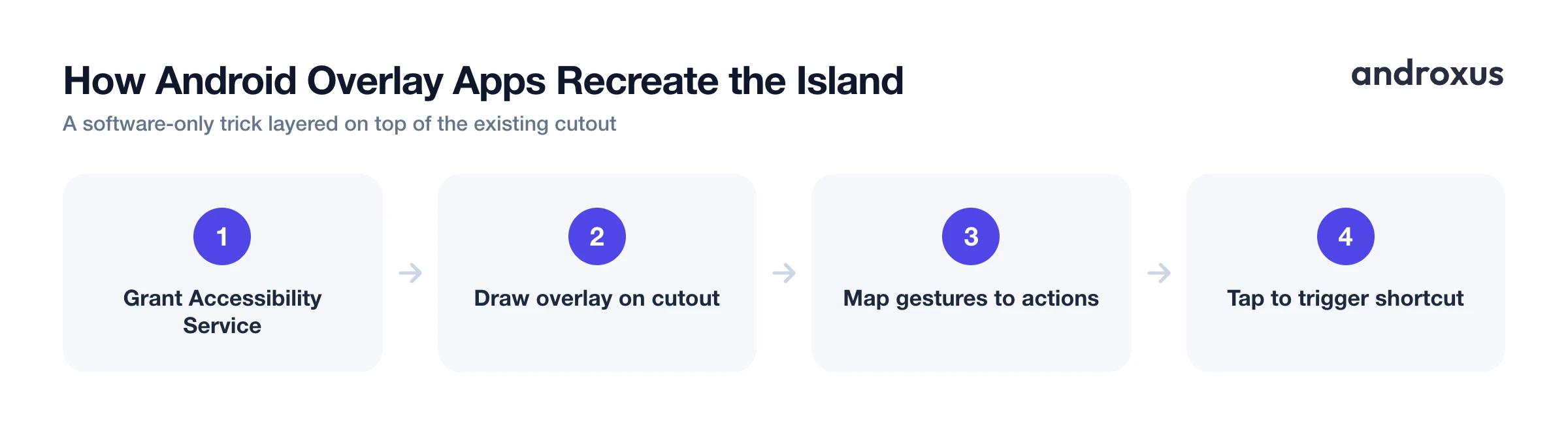
Apps in this space, including Action Notch, DynamicSpot, and Notch Touch, use Android's Accessibility Service permission to draw an overlay, a floating view, positioned around the phone's camera cutout. That overlay is purely a software layer drawn on top of the screen. It does not change the physical screen, the notch or cutout hardware, or add a real second display element to the operating system.
The overlay responds to touch gestures such as tap, double-tap, long-press, and swipe, each mapped to a shortcut. That is similar in spirit to Apple's AssistiveTouch and to the tap-and-press behavior of Dynamic Island, even though the underlying mechanism is completely different.
Because these are accessibility-based overlays rather than a system-level OS feature, capabilities vary from app to app. Some focus on notification pop-ups styled like a pill, while others focus on turning the cutout into a gesture-driven shortcut launcher. The Accessibility Service permission itself is powerful, so it is worth using apps that clearly explain what they do with that access and confirm they are not collecting data through it.
Turning Your Android Camera Cutout Into a Shortcut Button
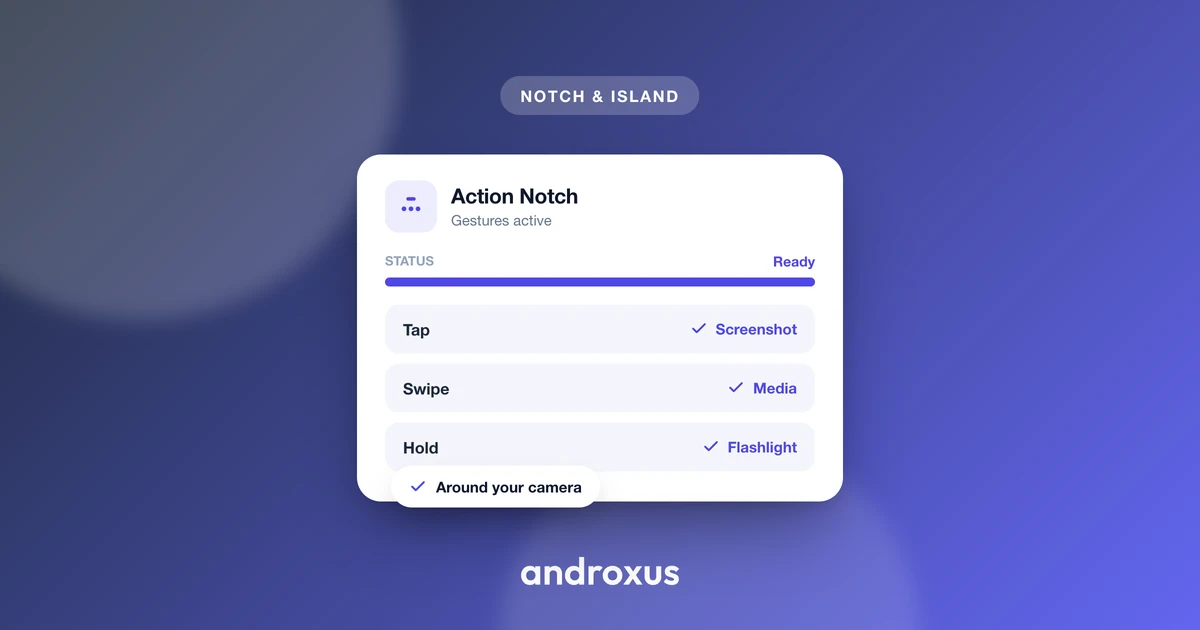
Action Notch is one example of this shortcut-focused approach. It uses the Accessibility Service to place an interactive overlay button around the camera cutout, not to alter the cutout itself, and it states that no data is collected by the service it uses for the overlay.
The app supports four gestures, tap, double-tap, long-press, and swipe, and each one can be assigned a different action. Available actions cover a wide range: recording from the front or back camera, recording audio, taking a screenshot, toggling the flashlight, turning the screen off, opening the power menu, scrolling to top, launching the camera, opening a favorite app, viewing recent apps, speed dial, toggling rotation lock, toggling Do Not Disturb, scanning a QR code or barcode, opening a fast browser shortcut, adjusting brightness, changing ringer mode, and controlling music playback.
It is worth being precise about what this is and is not. It is a shortcut and overlay tool: it does not modify hardware, does not create a literal Dynamic Island, and only adds a touch-responsive zone layered around the existing cutout. If the goal is a handful of one-tap shortcuts anchored to a spot you already look at constantly, this covers that ground well; if the goal is Apple's exact Live Activities animation system, no Android app can deliver that because the underlying software and hardware pairing simply does not exist on Android.
How to Set Up a Dynamic-Island-Style Shortcut on Android
- Install a cutout-overlay app. Download a Dynamic-Island-style shortcut app from Google Play that is designed for your phone's camera cutout or punch-hole layout.
- Grant the Accessibility Service permission. When prompted, enable the app under Settings > Accessibility > Downloaded apps (the exact path can vary slightly by manufacturer). This permission is what lets the app draw the overlay button around the cutout.
- Calibrate the overlay to your cutout. Position and size the invisible touch zone so it lines up with your phone's specific camera cutout shape and location.
- Assign actions to gestures. Map tap, double-tap, long-press, and swipe to the shortcuts you use most, such as flashlight, screenshot, camera recording, or Do Not Disturb.
- Exempt the app from battery optimization. On phones that aggressively manage background apps (common on Samsung and Xiaomi devices), whitelist the app in battery settings so the overlay keeps responding after the screen has been off.
- Test each gesture. Try every assigned gesture from both the lock screen and home screen to confirm the shortcut zone is responsive before relying on it day to day.
Key takeaways
- Dynamic Island is Apple's proprietary pairing of a pill-shaped sensor housing and iOS software; it launched on iPhone 14 Pro in 2022 and now spans most current Pro and standard iPhone models.
- Android cannot get an official Dynamic Island because the feature is not a licensable standard, it is built specifically for Apple's hardware and software stack.
- Third-party Android apps recreate the interactive feel using the Accessibility Service to draw a gesture-responsive overlay around the existing camera cutout, without changing any hardware.
- Apps like Action Notch turn that overlay into a practical shortcut button for actions like recording, screenshots, flashlight, and app launching, mapped to tap, double-tap, long-press, and swipe.
- Because Accessibility Service is a sensitive permission, choose overlay apps that are transparent about what they access and confirm they do not collect data through that service.
Frequently asked questions
Can Android phones officially get Dynamic Island?
No. Dynamic Island is proprietary Apple software paired with the specific sensor housing on Pro-tier iPhones, so it cannot be installed as an official feature on Android. Android users can get a similar interactive experience through third-party apps that overlay the camera cutout, but this is a software approximation, not the real Apple feature.
Do Dynamic Island style apps on Android actually change the notch or camera cutout?
No. These apps draw a software overlay on top of the screen around the existing cutout; they do not alter the phone's hardware, resize the cutout, or add a physical display element. The cutout itself stays exactly as the manufacturer built it.
Which iPhones have Dynamic Island?
Dynamic Island launched on the iPhone 14 Pro and 14 Pro Max in 2022. It is now on every iPhone 15 model and every iPhone 16 and iPhone 17 model except the budget iPhone 16e and iPhone 17e, both of which kept the older notch instead.
What permission do Android cutout-overlay apps need, and is it safe?
They typically require Android's Accessibility Service permission to draw and control the overlay button around the cutout. This is a sensitive permission, so it's worth using apps that clearly disclose what the service does and confirm they don't collect data through it, and reviewing the grant anytime in Settings > Accessibility.
What can I actually do with a Dynamic Island style shortcut on Android?
It depends on the app, but common actions include camera and audio recording, screenshots, flashlight toggle, screen off, quick app launch, rotation lock, Do Not Disturb toggle, QR scanning, brightness and ringer controls, and music playback, each triggered by a tap, double-tap, long-press, or swipe on the cutout area.
Will an Android overlay app drain my battery like the real Dynamic Island might?
Accessibility Service overlays run in the background, so battery impact depends on the app's efficiency and the phone's battery-optimization settings. Some Android OEMs aggressively kill background services, so users may need to exempt the app from battery optimization to keep the shortcut consistently active.
