What Is a UPI Soundbox and How Does It Work?
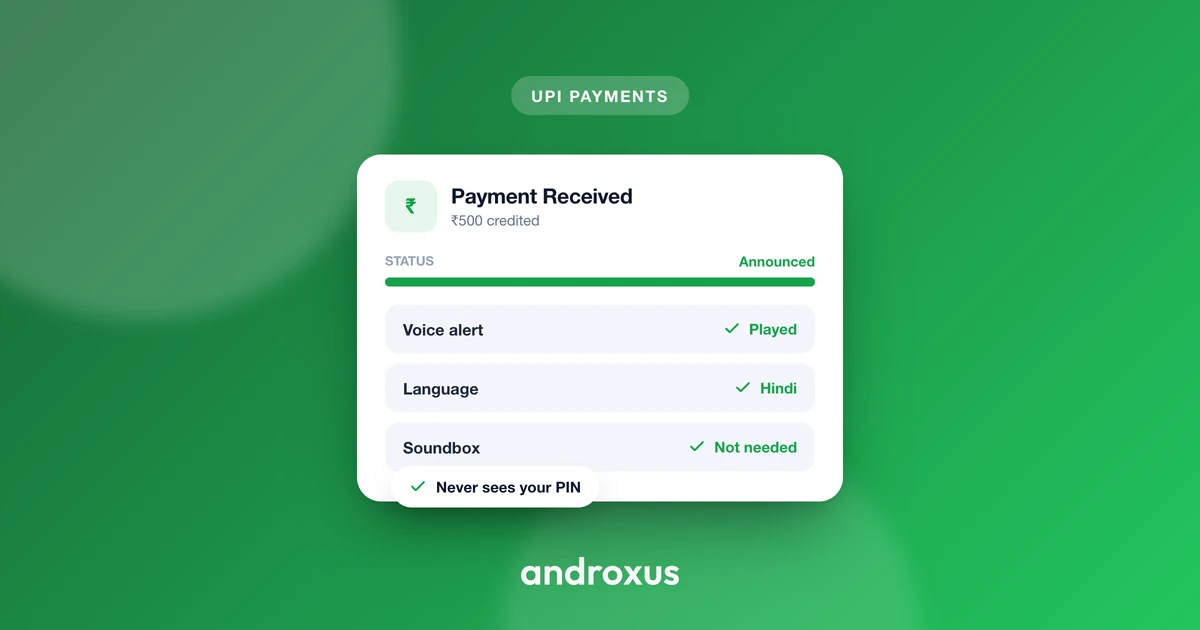
Walk into almost any small shop in India today and you will hear it: a quick, clear voice calling out "Rupees two hundred received" right after a customer taps their phone. That voice is coming from a UPI soundbox, and it has quietly become one of the most useful tools at a checkout counter.
Quick answer: A UPI soundbox is a device or app that gives an instant, audible voice alert confirming the exact amount received the moment a UPI payment succeeds. Hardware versions are small speaker boxes from payment providers that connect over a SIM card or Wi-Fi, while software versions are apps that turn a phone the merchant already owns into the same kind of speaker by reading UPI payment notifications. Either way, the soundbox only announces a payment that has already gone through, it does not process or approve the transaction itself.
What you'll learn
- What a UPI soundbox is and what problem it actually solves at a counter
- The difference between a hardware soundbox and a software (app-based) one
- How a phone-based soundbox app reads and announces payments
- What permissions a soundbox app needs, and what it should never need
- How to set one up on a phone and keep it running reliably
What Is a UPI Soundbox?
A UPI soundbox is a device or app that gives an instant, audible voice alert confirming the exact amount received the moment a UPI payment succeeds, instead of the merchant having to look at a phone screen every time.
The original soundboxes are small physical speaker devices from payment service providers such as Paytm, PhonePe, and BharatPe. They connect via a SIM card or Wi-Fi and are linked directly to the merchant's UPI QR code and bank account.
A newer category is the software, or app-based, soundbox. This is an Android app that turns a phone the shop already owns into the same kind of speaker, by reading the UPI payment notifications that already arrive on that phone and reading the amount out loud.
Either way, the soundbox does not process or approve the payment itself. It only announces a payment that has already been completed through the UPI network, after the money has moved.
Why Shops Use a Soundbox
At a busy counter, a merchant often cannot check the phone screen after every sale, so a spoken confirmation removes the need to stop and look. It lets checkout keep moving.
It also reduces a common scam risk where a customer shows a fake or edited payment screenshot instead of actually paying. A soundbox only speaks after a real payment notification arrives, so a fabricated screenshot does not trigger an announcement.
It works even when the phone is locked or sitting in a pocket, since the alert is audio rather than something the merchant needs to view on screen. And it gives every staff member real-time confirmation, not just the owner, which matters in shops where more than one person handles the till.
Hardware Soundbox vs Software (App-Based) Soundbox
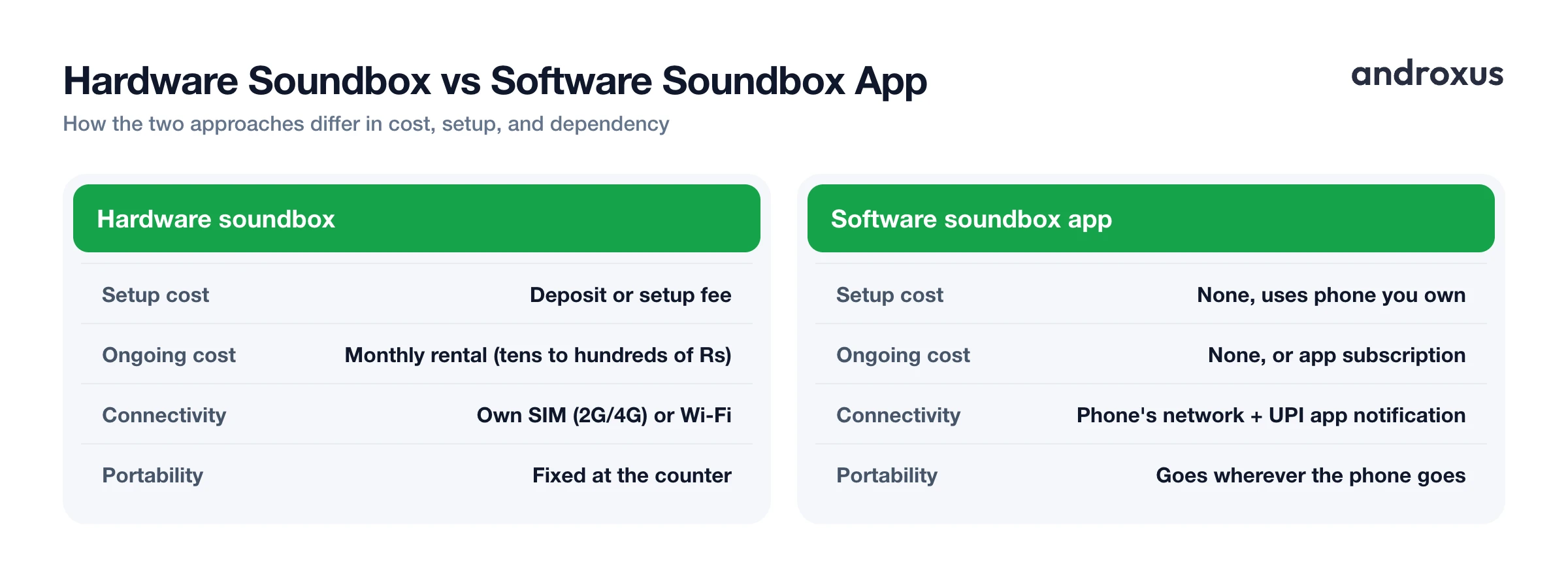
Both approaches solve the same problem, but they differ in cost, setup, and what they depend on to keep working.
| Hardware soundbox | Software (app-based) soundbox | |
|---|---|---|
| Upfront/setup cost | Deposit or setup fee from the PSP | None, uses a phone you already own |
| Ongoing cost | Small monthly rental (often tens to a few hundred rupees) | None, or the app's own subscription if any |
| What you need | The physical device, issued and linked by a bank or PSP | An Android phone with the shop's UPI apps installed |
| Connectivity dependency | Its own SIM (2G/4G) or Wi-Fi | The phone's network connection and the UPI app's own notification |
| Portability | Fixed at the counter, has its own battery/power adapter | Goes wherever the phone goes |
| Battery life | Built-in, generally always-on | Depends on the phone staying charged |
| Multi-counter support | One device per counter, unless extra units are rented | Some apps support multiple staff phones announcing at once (team mode) |
| Setup time | Provider installs and links it | A few minutes to install and grant permissions |
Hardware soundboxes are purpose-built and always-on at the counter, since they run on their own connectivity and battery. Software soundbox apps are more flexible, since any staff phone can potentially do the job, but they rely on that specific phone staying powered, connected, and running in the background.
How a Software UPI Soundbox App Actually Works
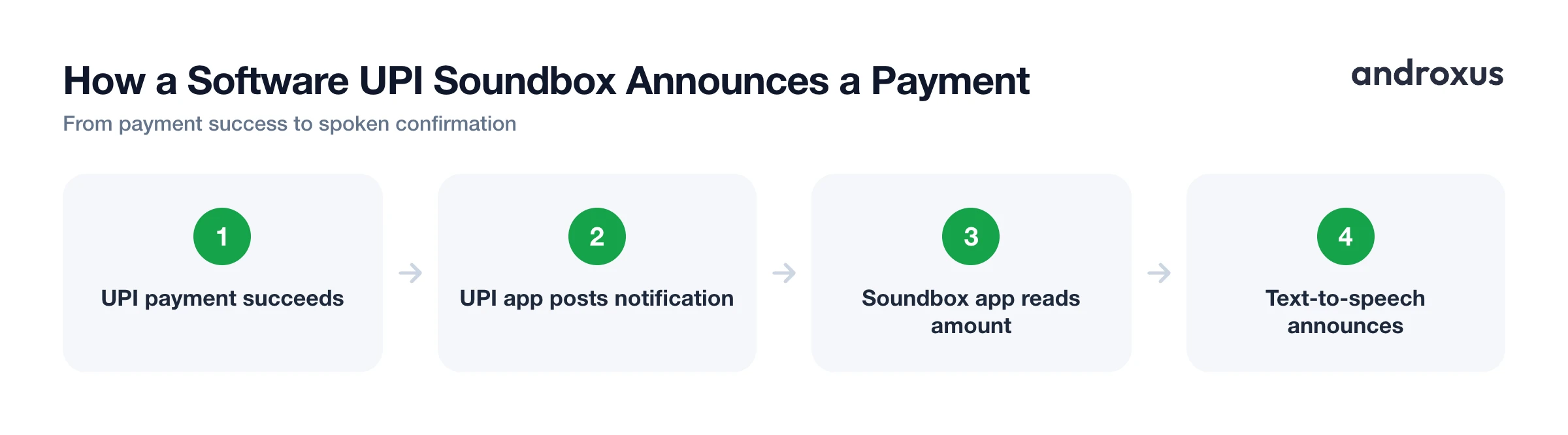
A software soundbox app requests Android's Notification access permission, which lets it read the text of incoming notifications on the phone, including the payment notifications sent by UPI apps like GPay, PhonePe, Paytm, BHIM, Amazon Pay, and WhatsApp Pay.
When a supported UPI app posts a payment notification, the soundbox app parses the amount from that notification and uses text-to-speech to announce it. Many apps in this category speak using India's lakh and crore number system, the way shopkeepers are used to hearing amounts, and offer a choice of Indian languages and voices.
This only works for the UPI apps whose notification formats the soundbox app recognizes, so support depends on each UPI app's own notification wording. If a UPI app changes how it formats its notifications, recognition can be temporarily affected until the soundbox app is updated to match.
Because this approach works entirely off notifications, it does not need, and should not need, access to a bank account or a UPI PIN. AudioPay's UPI Mobile Soundbox app, for example, reads payment notifications locally on the device and keeps transaction history on the phone rather than sending banking data anywhere. It is not affiliated with any of the UPI apps whose notifications it reads, and how well it catches an alert still depends on that app's own notification format.
Setting Up and Getting Reliable Alerts
A phone used as a soundbox should be excluded from aggressive battery optimization, since Android can otherwise stop a background app from processing notifications promptly, which means a payment could go unannounced.
Play Store installs are simpler to set up than sideloaded APKs, because Android 13 and later apply restricted settings that block sensitive permissions like notification access for apps installed outside an app store, until an extra manual step is completed.
Merchants running more than one till or counter can look for a soundbox app that supports multiple staff phones announcing the same shop's payments, sometimes called a team or multi-device mode, so every counter gets the alert instead of just one phone.
Testing with a small real payment right after setup is the most reliable way to confirm the volume, language, and voice are all working before relying on it at the counter.
How to Set Up a Software UPI Soundbox on Your Phone
- Pick a phone to dedicate as the soundbox. Choose the phone that already has the shop's UPI apps (GPay, PhonePe, Paytm, BHIM, etc.) installed, and keep it near the checkout counter, plugged in or with good battery life, since it needs to stay powered on to catch every notification.
- Install a soundbox app from the Play Store. Search for a UPI soundbox or payment announcer app on the Google Play Store and install it. Play Store installs avoid Android's extra restricted settings step that sideloaded APKs run into on Android 13 and above.
- Grant notification access when prompted. Open the app and allow the Notification access permission it asks for. This is the specific Android permission that lets the app read incoming payment notifications from your UPI apps so it can convert them into a spoken amount.
- Choose your language and voice. Set the preferred language, many soundbox apps cover the major Indian languages, and pick a male or female voice so staff can clearly understand the announcement over shop noise.
- Exempt the app from battery optimization. In the phone's battery settings, turn off battery optimization for the soundbox app so Android does not shut it down in the background, which would stop announcements from playing.
- Test with a small real payment. Have someone send a small UPI payment to the shop's QR code and confirm the phone speaks the exact amount aloud. Adjust the media volume if the announcement is too quiet for the counter.
Key takeaways
- A UPI soundbox speaks the exact amount received right after a payment succeeds, so a merchant does not have to check a screen for every sale.
- Hardware soundboxes are physical devices with their own SIM or Wi-Fi and a monthly rental, while software soundbox apps turn a phone the shop already owns into the same tool at no hardware cost.
- App-based soundboxes work by reading payment notifications through Android's Notification access permission, not by accessing a bank account or UPI PIN.
- Reliable alerts depend on the phone staying powered, connected, and exempt from battery optimization so the app keeps running in the background.
- Coverage of any given UPI app depends on that app's own notification format, so results can vary slightly between GPay, PhonePe, Paytm, and others.
Frequently asked questions
Is a UPI soundbox the same thing as a QR code?
No. The QR code is what the customer scans to send money. The soundbox is the separate device or app that announces out loud once that payment has actually landed, so the two work together but are not the same tool.
Does a UPI soundbox work without internet?
A hardware soundbox needs its own SIM card (2G/4G) or Wi-Fi to get the payment alert from the bank's server. A phone-based soundbox app depends on the UPI app itself receiving the payment notification, which also requires the phone to have network access at that moment.
Can a soundbox app announce payments from more than one UPI app?
Yes, if it supports reading notifications from multiple apps. Apps like GPay, PhonePe, Paytm, BHIM, Amazon Pay, and WhatsApp Pay each send their own payment notification, and a soundbox app with notification access can read and announce all of them from a single phone.
Is it safe to give a soundbox app notification access?
Notification access lets an app read the text of notifications on your phone, which is a broad permission, so it is worth using a reputable app. A well-built soundbox app only reads payment notifications locally on the device, does not need your UPI PIN or bank login, and does not need to touch your bank account to announce an amount.
Will a software soundbox still announce payments when my phone is locked?
It can, as long as the app is allowed to run in the background and is not force-stopped or removed from recent apps. The phone's screen can stay off or locked since the announcement is audio, not something you need to look at.
How much does a UPI soundbox cost compared to an app?
Hardware soundboxes from PSPs typically involve a refundable deposit or setup fee plus a small monthly rental, commonly in the range of tens to a few hundred rupees a month. Phone-based soundbox apps skip the hardware entirely and use a phone the shop already owns, so there is no separate device to buy or maintain.
