Equalizer Bands Explained: What Do the Hz Numbers Mean?
Open any equalizer app and you'll see a row of sliders labeled with numbers like 60, 250, 1K, 4K, and 16K. They look like settings for engineers, not listeners, but once you know what those numbers actually represent, tuning your sound stops being guesswork. This guide breaks down equalizer bands explained in plain terms, band by band.
Quick answer: Each equalizer band is labeled with a frequency in Hz (hertz), which marks the center of a specific slice of the audio spectrum, from roughly 20 Hz (deep sub-bass rumble) up to 20,000 Hz (airy treble sparkle). Raising a band's slider boosts the volume of sounds near that frequency, while lowering it cuts them, and everything else stays untouched. Understanding a handful of ranges, sub-bass, bass, midrange, and treble, is enough to make purposeful adjustments instead of randomly moving sliders.
What you'll learn
- Why equalizer bands are measured in Hz instead of some other unit
- What each part of the frequency spectrum actually sounds like, band by band
- Why one phone might have 5 EQ bands and another has 12
- How to boost or cut bands without introducing distortion
- How to match band adjustments to what you're listening to
Why equalizer bands are measured in Hz
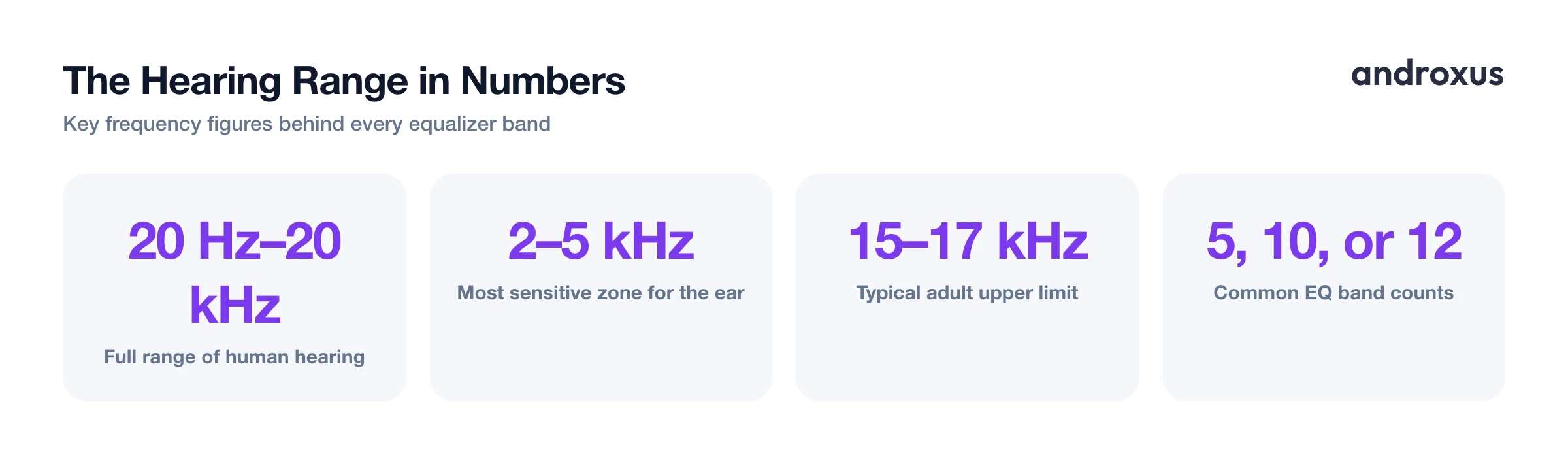
Hz, short for hertz, counts sound wave cycles per second. It's a measurement of pitch and frequency, not loudness. A sound that vibrates the air 60 times per second is a low, deep tone around 60 Hz, while one vibrating 10,000 times per second is a high, thin tone around 10 kHz.
The commonly accepted range of human hearing spans about 20 Hz to 20,000 Hz (20 kHz). In practice, most adults' usable upper limit sits closer to 15,000 to 17,000 Hz, and that ceiling drops further with age, a normal part of how hearing changes over time. Within that range, human hearing is most sensitive to sounds roughly between 2,000 and 5,000 Hz, which is the range most speech consonants and instrumental detail live in. That sensitivity is also why small boosts in this zone feel much more noticeable than the same size boost down at 60 Hz.
An equalizer takes that full 20 Hz to 20 kHz range and divides it into bands, commonly 5, 10, or 12 depending on the app or device. Each band lets you raise or lower the volume of just its slice of the spectrum, independent of the rest. It's worth being clear about what this does and doesn't do: EQ reshapes audio that is already present in the track or system output. It doesn't synthesize new sound, and it can't push output beyond what the source recording and your hardware are capable of reproducing.
The frequency spectrum, band by band
Here's a practical cheat sheet for what each part of the spectrum sounds like and what happens when you boost or cut it.
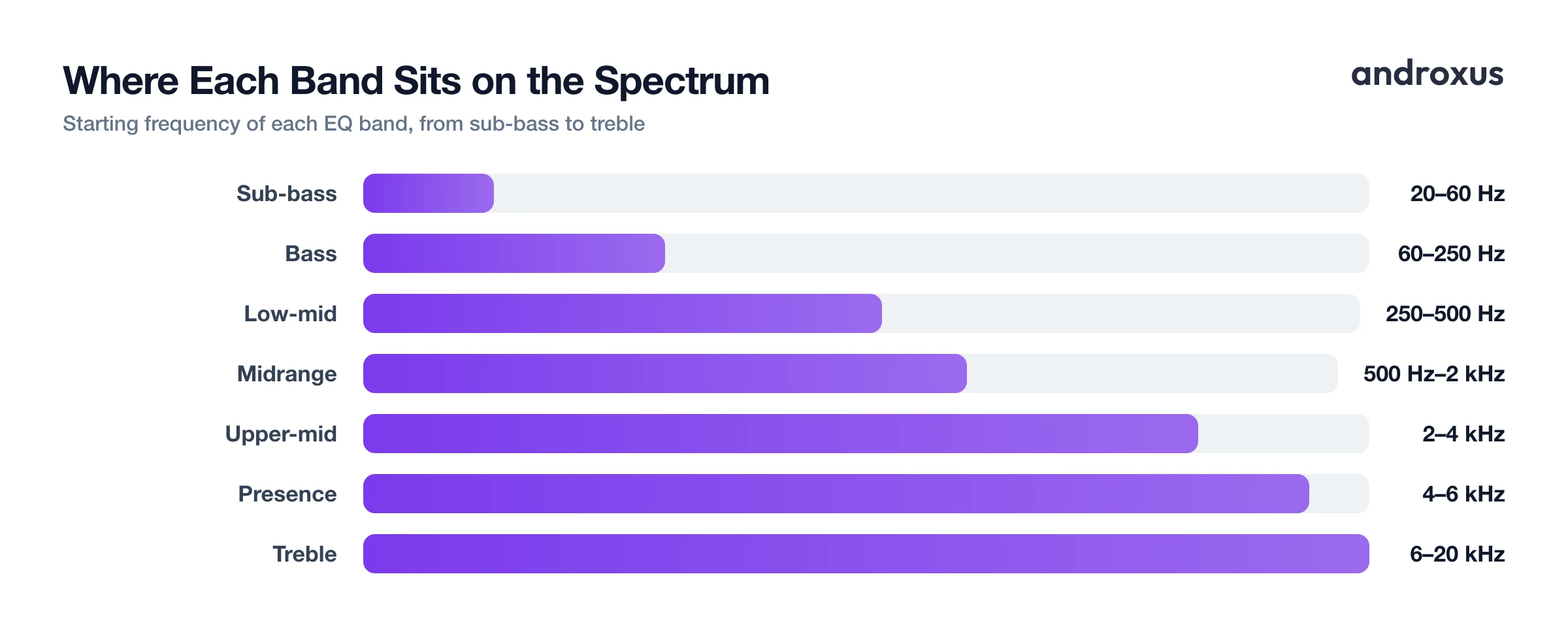
| Band name | Hz range | What it sounds like | What boosting it does | What cutting it does |
|---|---|---|---|---|
| Sub-bass | ~20 to 60 Hz | Felt more than heard, chest rumble | Adds physical weight to deep kicks and sub synths | Removes rumble, can make bass feel thin |
| Bass | ~60 to 250 Hz | Punch of kick drums, bass lines | Adds warmth and low-end punch | Reduces boominess or muddiness |
| Low-midrange | ~250 to 500 Hz | Body and warmth of vocals/instruments | Adds fullness and thickness | Reduces a boxy or congested sound |
| Midrange | ~500 Hz to 2 kHz | Where most vocals and lead instruments sit | Brings vocals and leads forward | Can make a mix sound distant or hollow |
| Upper-midrange | ~2 to 4 kHz | Presence, definition, attack | Helps vocals and guitars cut through | Softens harshness or listening fatigue |
| Presence | ~4 to 6 kHz | Consonant clarity, "edge," sibilance | Adds crispness to speech and detail | Tames harsh "s" and "sh" sounds |
| Brilliance/treble | ~6 to 20 kHz | Air, sparkle, cymbal shimmer | Adds openness and sparkle | Reduces tinniness or piercing highs |
Notice the overlap between neighboring bands. Real sound rarely sits in one narrow slice, a kick drum has energy in sub-bass and bass at once, a voice spans low-mid through presence. That's normal, and it's part of why moving one band gently tends to work better than making one dramatic change.
Why band count varies by device and app
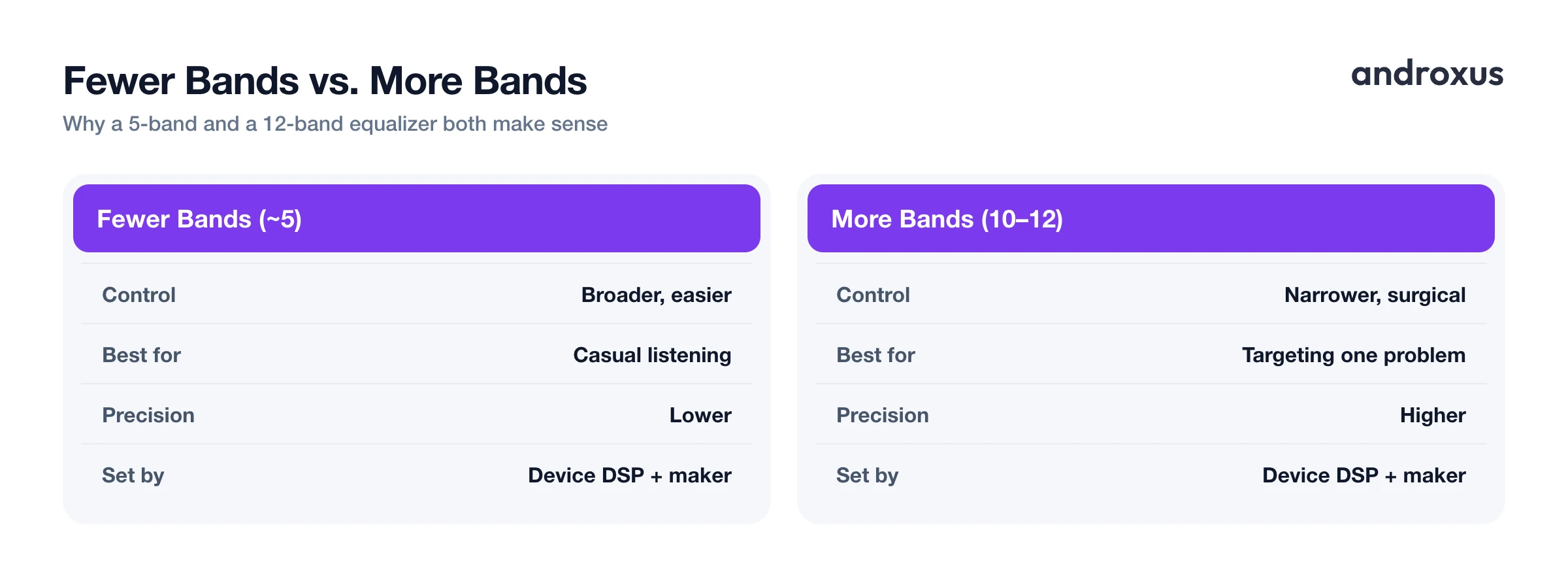
Android exposes a built-in Equalizer audio effect, and the number of bands it offers is device-dependent, reported through a method called getNumberOfBands(). Phone makers and the DSP (digital signal processing) chip inside a device decide how many bands are available and where their center frequencies sit. That's why the same app can show 5 bands on one phone and 10 or 12 on another.
More bands give you narrower, more surgical control, useful if you want to target a specific problem frequency without touching its neighbors. Fewer bands give broader, easier-to-use control, which is often plenty for casual listening adjustments. Neither is strictly better, it depends on how much precision you actually want to manage.
Flow Equalizer, for example, offers 5 to 12 bands depending on the device, alongside separate Bass Booster, Volume Booster, and 3D Virtualizer toggles that work independently of the band sliders. Genre presets included in apps like this are simply pre-set band positions tuned for common tastes, such as a bass-heavy curve or a vocal-forward curve. They're a reasonable starting point, not a fixed rule, and you can always nudge individual bands from there.
Gain, distortion, and why small moves win
Small moves matter more than big ones. Because human hearing is most sensitive around 2 to 5 kHz, a modest boost there is far more audible than an identical boost at 60 Hz. It's easy to overdo adjustments in that zone without realizing it.
Boosting many bands at once stacks gain, and since output is still bounded by the hardware, that stacked gain raises the risk of clipping or distortion. A limiter, like the anti-distortion limiter included in Flow Equalizer, helps manage gain increases so boosted output stays controlled rather than clipping, but it can't manufacture headroom that the hardware simply doesn't have. In other words, a limiter reduces the odds of distortion, it doesn't make unlimited boosting safe.
Cutting a problem frequency is frequently a better fix than boosting everything around it. If a mix sounds muddy, pulling down the 250 to 500 Hz band is often more effective, and less risky, than boosting bass and treble to compensate. And regardless of how clean the EQ curve sounds, sustained listening at high overall volume carries hearing-damage risk on its own. Shaping bands thoughtfully matters, but keeping the volume itself reasonable matters just as much.
Matching bands to what you're listening to
Different content benefits from different band adjustments. For podcasts and audiobooks, a gentle midrange boost around 500 Hz to 2 kHz plus a light presence boost around 4 to 6 kHz aids speech clarity, and sub-bass is largely irrelevant since there's rarely any content down there.
For bass-heavy genres like hip-hop and EDM, a modest sub-bass and bass boost across 20 to 250 Hz adds punch, though pushing it too far tips into muddiness fast. For acoustic and vocal-forward music, a light cut around 250 to 500 Hz can reduce boxiness while a small presence boost adds clarity without harshness.
One practical note if you're listening on a phone's built-in speaker: small speakers reproduce sub-bass poorly regardless of how much you boost it, so aggressive sub-bass adjustments often do very little on-device. That same boost matters a lot more once you switch to headphones with drivers capable of actually reproducing those low frequencies.
How to use equalizer bands without wrecking your sound
- Identify what's wrong with the current sound. Listen for whether the audio feels muddy (too much low end), harsh (too much upper-mid/presence), thin (lacking bass or mids), or dull (lacking treble) before touching any sliders.
- Adjust bass first, in small steps. Nudge the 60 to 250 Hz band up slightly for punch, or add a touch of 20 to 60 Hz if you're on headphones or a speaker that can reproduce sub-bass. Avoid large jumps, since bass gain stacks quickly.
- Shape the midrange for clarity. If vocals or lead instruments feel buried, add a small boost around 500 Hz to 4 kHz. If the mix sounds boxy or congested, try cutting slightly around 250 to 500 Hz instead of boosting everything else.
- Add treble carefully for air and detail. A gentle boost in the 6 to 20 kHz range can add sparkle and openness, but pull back if it starts to sound sibilant or piercing.
- Compare against a flat (neutral) setting. Toggle the EQ off or reset to flat periodically to confirm your changes are actual improvements and not just louder in general, which our ears tend to perceive as better.
- Keep overall volume in check. Once the band shape sounds right, resist the urge to also max out overall volume. Combining an aggressive EQ curve with high volume for long listening sessions increases the risk of listening fatigue and hearing damage.
Key takeaways
- Equalizer bands explained simply: each one is a Hz-labeled slice of the 20 Hz to 20 kHz hearing range, and moving its slider boosts or cuts only sounds near that frequency.
- Sub-bass and bass sit below 250 Hz, midrange and vocals live between 500 Hz and 4 kHz, and treble and air sit from 6 kHz up to 20 kHz.
- The number of bands a phone offers depends on its hardware and manufacturer implementation, so 5-band and 12-band equalizers are both normal.
- EQ reshapes audio that's already there, it doesn't add new sound, and gain is still bounded by your hardware, so stacking large boosts raises distortion risk.
- Small, targeted adjustments, plus keeping overall volume reasonable, deliver better and safer results than maxing out every band at once.
Frequently asked questions
What does the Hz number on an equalizer band mean?
It marks the center of a frequency range that band controls. Moving the slider raises or lowers the volume of sounds near that frequency, from deep rumble around 60 Hz to airy sparkle near 16 kHz, while leaving other frequencies alone.
What frequency should I boost for more bass?
Try a modest boost in the 60 to 250 Hz bass range, and add a touch of 20 to 60 Hz sub-bass if your speaker or headphones can reproduce it. Small phone speakers often cannot reproduce sub-bass well, so results vary by device.
Which Hz range makes vocals clearer?
Most vocal clarity lives in the 500 Hz to 4 kHz midrange and upper-midrange. A small boost there, paired with a slight cut around 250 to 500 Hz to reduce boxiness, typically helps speech and lead vocals stand out.
Why does boosting bands too much cause distortion?
Output is still bounded by what the hardware and source audio can produce. Stacking large boosts across several bands raises overall gain and can push sound past clean output, which is why a limiter is used to manage that gain and reduce distortion rather than let it clip.
Do all Android phones have the same equalizer bands?
No. The number of bands and their exact center frequencies depend on the device's audio hardware and manufacturer implementation, so one phone might offer 5 bands and another 10 or 12.
Is it safe to max out every equalizer band?
It's not a good idea. Pushing every band to maximum stacks gain, increases distortion risk, and at high playback volumes raises the risk of hearing damage over time, so it's better to make small, targeted adjustments and keep overall volume reasonable.
