Best Equalizer Settings for Every Music Genre
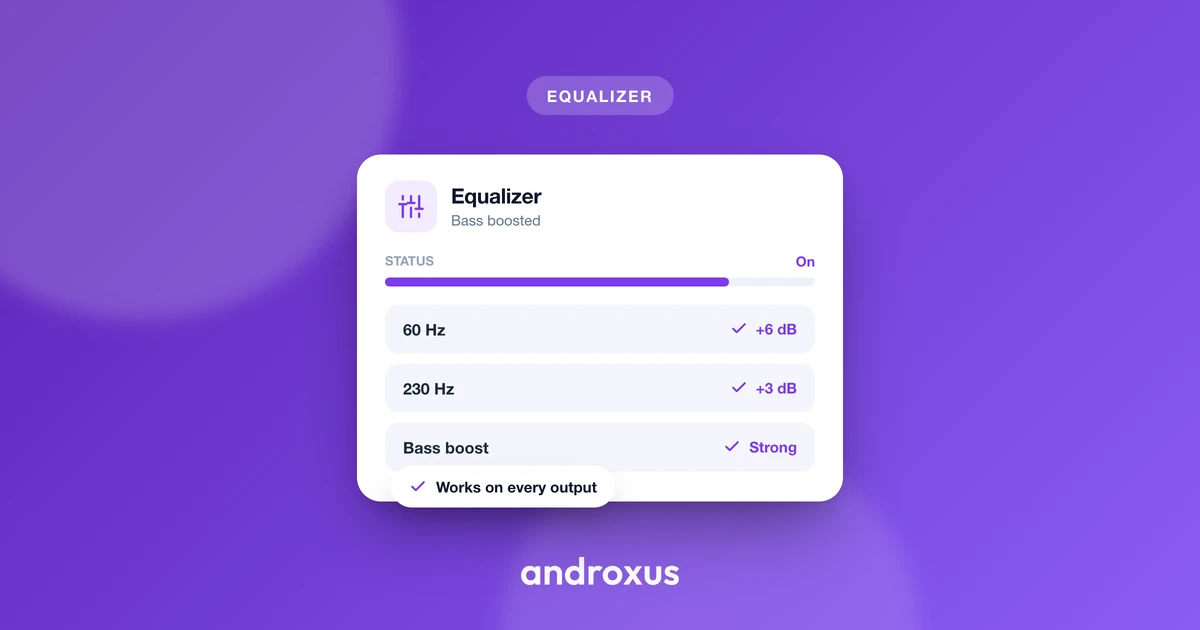
Every genre stresses a different part of the frequency spectrum: hip hop leans on sub-bass, classical needs a light touch, and podcasts live or die on vocal clarity. Knowing the best equalizer settings for each style saves you from a generic curve that flatters one genre while muddying the next.
Quick answer: The best equalizer settings vary by genre because each style leans on different frequencies. Bass-forward genres like hip hop and EDM benefit from a boosted sub-bass (30-60 Hz) and a treble lift for crispness, while classical and podcasts sound best closer to flat, with only small, targeted adjustments around the mids. A mild V-shape, gently boosted bass and treble with mids left alone, works as a safe starting point for most pop, rock, and hip hop, then fine-tune from there in small steps.
What you'll learn
- How EQ bands map to what you actually hear, from sub-bass to treble
- Genre-by-genre starting points for rock, EDM, hip hop, classical, podcasts, and pop
- Why the "V-shape" curve is popular and when to avoid it
- What actually happens when you push bass or volume too far
- How to tune your EQ safely without risking distortion or hearing damage
How EQ Bands Map to What You Actually Hear
Before adjusting anything, it helps to know what each frequency range controls. The audible range runs roughly 20 Hz to 20,000 Hz, and audio engineers typically split it into these regions:
- Sub-bass (20-60 Hz): felt more than heard, this is the rumble under kick drums and sub-bass synths.
- Bass (60-250 Hz): carries the punch and warmth of bass guitar and kick drums.
- Low-mids (250-500 Hz): adds body to vocals and instruments, but too much here sounds boxy or muddy.
- Mids (500 Hz-2 kHz): where most vocals and lead instruments live.
- Upper-mids (2-4 kHz): adds bite and attack, important for vocal presence and snare snap.
- Presence (4-6 kHz): affects clarity and intelligibility, especially for speech.
- Brilliance/air (6-20 kHz): adds sparkle, cymbal shimmer, and a sense of "openness."
A common 5-band graphic EQ layout, the kind found in many equalizer apps, centers on roughly 60 Hz, 230 Hz, 910 Hz, 3.6 kHz, and 14 kHz. That's enough to shape most tracks in broad strokes. More bands allow narrower, more surgical adjustments than a basic 3-band bass/mid/treble control, which matters if a track sounds slightly boxy or harsh in a specific spot rather than needing a wholesale boost or cut. Flow Equalizer's 5 to 12 band EQ covers both approaches, from quick genre tweaks to more precise shaping.
Genre-by-Genre EQ Shapes
Each genre tends to reward a different balance. These are starting points, not rules, since the right amount always depends on the specific track and your headphones or speaker.
- Rock: Modest boosts to bass (60-100 Hz) and upper-mids/treble (3-6 kHz) bring out punchy drums and cutting guitars. Keep mids close to flat so vocals and guitars don't get buried under the low end.
- EDM: Boost sub-bass (30-60 Hz) and kick punch (80-100 Hz) for weight, add a touch of upper-mid clarity (1-4 kHz) so synths and leads cut through, and lift 8-12 kHz slightly for crisp hi-hats.
- Hip hop: Layer a sub-bass boost (30-60 Hz) with a boost around 100-200 Hz, the harmonics that give bass its body and thump, then add 3-5 kHz for snap and attack on vocals and snares.
- Classical: The lightest touch of any genre. The goal is a natural, balanced sound, so keep changes subtle: a small warmth boost around 200-400 Hz and gentle control of 2-5 kHz to avoid harshness on strings and brass.
- Podcasts/spoken word: Cut rumble below about 100 Hz, keep 200-500 Hz controlled to avoid boxy or muddy-sounding voices, and add a mild boost around 3-5 kHz for speech intelligibility.
- Pop: A mild V-shape works well: a small bass and treble lift with mids left close to flat, similar to the rock and hip hop approach but gentler on both ends.
EQ Starting Points by Genre
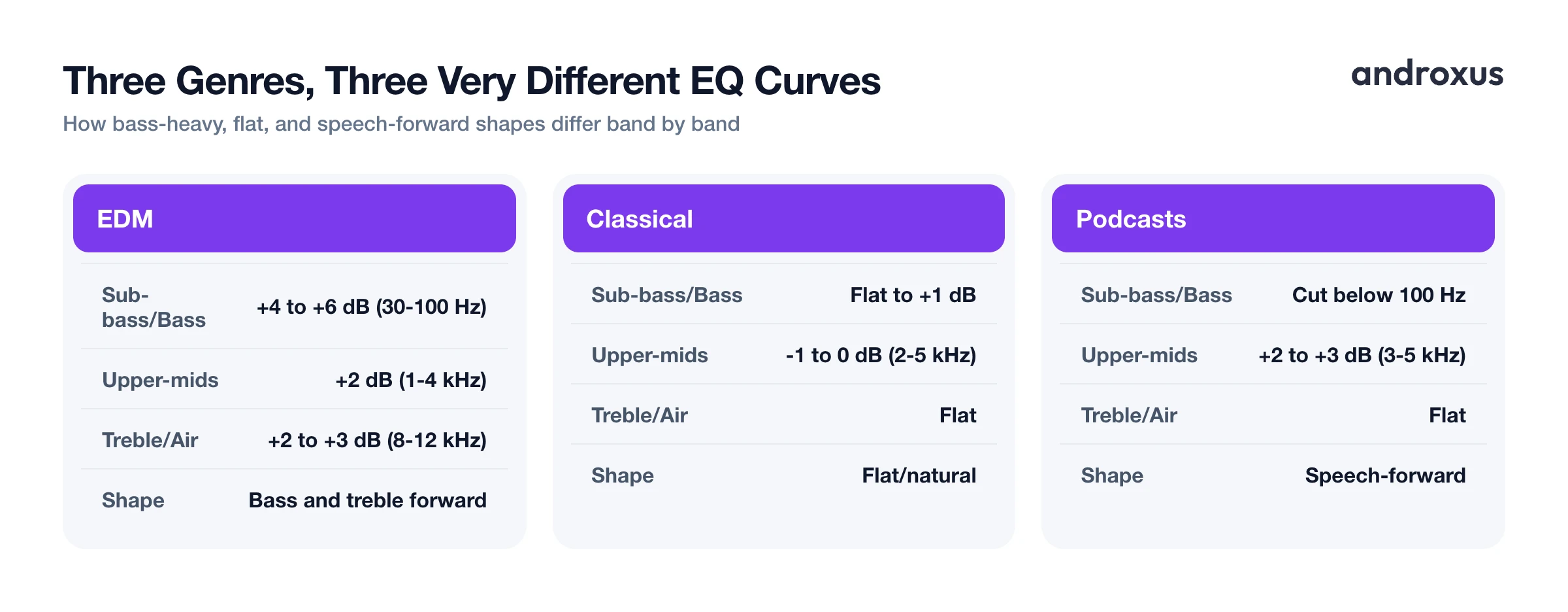
| Genre | Sub-bass/Bass | Low-mids | Mids | Upper-mids/Presence | Treble/Air | Typical shape |
|---|---|---|---|---|---|---|
| Rock | +2 to +4 dB (60-100 Hz) | Flat | Flat | +2 to +3 dB (3-6 kHz) | Slight lift | Mild V-shape |
| EDM | +4 to +6 dB (30-100 Hz) | Flat to -1 dB | Flat | +2 dB (1-4 kHz) | +2 to +3 dB (8-12 kHz) | Bass and treble forward |
| Hip hop | +4 to +6 dB (30-60 Hz), +2 to +3 dB (100-200 Hz) | Flat | Flat | +2 to +3 dB (3-5 kHz) | Slight lift | Bass-heavy |
| Classical | Flat to +1 dB | +1 to +2 dB (200-400 Hz) | Flat | -1 to 0 dB (2-5 kHz) | Flat | Flat/natural |
| Podcasts | Cut below 100 Hz | Controlled, near flat (200-500 Hz) | Flat | +2 to +3 dB (3-5 kHz) | Flat | Speech-forward |
| Pop | +2 to +3 dB (60-100 Hz) | Flat | Flat | Flat | +2 to +3 dB (8-12 kHz) | Mild V-shape |
The V-Shape and Other Universal Starting Curves
The "V-shape," bass and treble boosted while mids stay flat or slightly recessed, is a common go-to across pop, rock, hip hop, and EDM. It works because it emphasizes the two things most listeners notice first: bass punch and crisp highs. That's also why it's a reasonable default when you don't know a track's genre in advance.
It's not the right choice everywhere. For anything vocal-forward, classical, jazz, acoustic, or podcasts, a flatter or mid-forward curve preserves natural tone better, since a V-shape can bury vocals and instruments that live mostly in the mids.
Genre presets, including the ones built into Flow Equalizer, are a starting point rather than a final answer. Headphones, earbuds, and phone speakers each color sound differently, so the exact same numeric setting can sound bass-heavy on one output and thin on another. Treat any preset as a base to nudge from, not a setting to lock in permanently.
Bass Boost, Volume Boost, and Distortion: What Actually Happens
EQ reshapes frequencies that are already present in the audio. It boosts or cuts existing bands, it doesn't generate new sound information that wasn't in the recording to begin with. On a phone, gains are ultimately bounded by the hardware: boosting a band beyond what the speaker or headphone driver, or the source recording's own headroom, can cleanly reproduce causes clipping or distortion rather than more usable bass or volume.
This is where a limiter matters. Flow Equalizer's anti-distortion limiter caps output peaks so that boosted bass or volume is less likely to crackle or clip during loud passages, alongside separate bass boost, volume boost, and 3D virtualizer toggles. Because EQ, bass boost, and volume boost are effects layered on top of the system's audio output, keeping each one moderate and checking how they interact avoids overloading the signal. A track that sounds clean at +3 dB bass can start breaking up at +8 dB, especially through small phone speakers.
Listening Safely While You Tune Your EQ
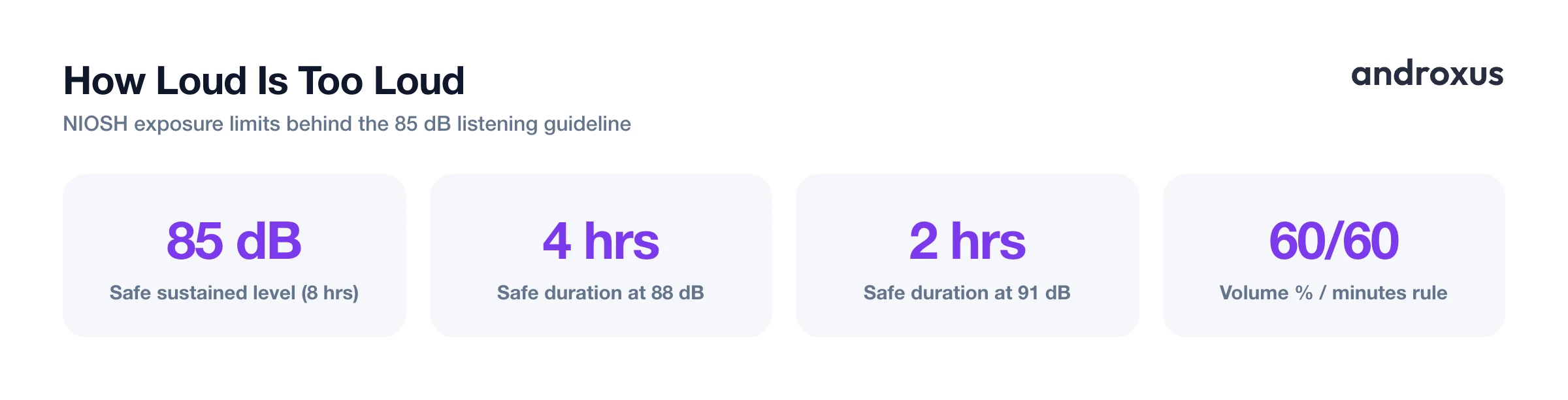
Boosting bass or overall volume to compensate for a quiet recording is reasonable, but it's worth keeping listening levels in mind while you experiment. NIOSH recommends keeping sustained audio exposure at or below 85 dBA averaged over 8 hours to limit the risk of hearing damage. Under the standard 3 dB exchange rate, every 3 dB increase halves the safe listening duration: 88 dB is considered safe for about 4 hours, 91 dB for about 2 hours.
As a rough everyday heuristic, the commonly cited "60/60 rule" suggests keeping volume at or below 60 percent of a device's maximum and taking a break after about 60 minutes of continuous listening, since actual output at any given volume-slider position varies by device, headphones, and source material. Pushing bass or volume boosts to maximum for long listening sessions raises both distortion risk and hearing-damage risk, so moderate boosts paired with a limiter are the safer approach for everyday listening.
How to Set Up the Best Equalizer Settings for Your Genre
- Identify your source and output. Note what you're listening to (streaming music, podcast, video) and through what (headphones, Bluetooth earbuds, or phone speaker), since the same EQ shape can sound different across outputs.
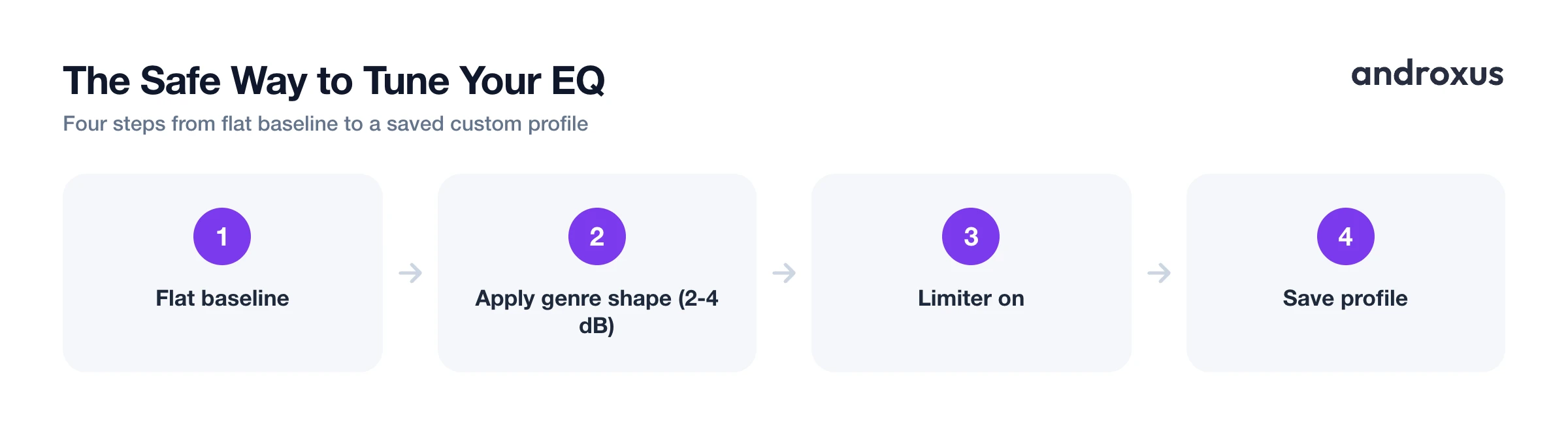
- Start from a flat baseline. Reset all bands to zero before applying a new shape so you're hearing the effect of each change clearly rather than stacking it on a prior setting.
- Apply the genre shape in small steps. Using the genre reference table above, move one or two bands at a time in modest increments, roughly 2 to 4 dB, rather than jumping straight to large boosts.
- Use bass and volume boost sparingly and independently. Adjust EQ, bass boost, and volume boost one at a time so you can hear which one is doing the work, and back off if anything sounds strained or distorted.
- Let a limiter catch the peaks. Keep an anti-distortion limiter enabled if available, it caps output peaks so boosted bass or volume doesn't clip or crackle at louder passages.
- Save it as a custom profile. Once a shape sounds right for a genre or a specific pair of headphones, save it as a custom profile so it's a single tap away next time instead of re-tuning from scratch.
Key Takeaways
- The best equalizer settings depend on genre: bass-forward styles like hip hop and EDM reward a sub-bass and treble boost, while classical and podcasts sound best close to flat with only small, targeted tweaks.
- The V-shape curve, boosted bass and treble with flat mids, is a solid default for pop, rock, hip hop, and EDM, but it's the wrong choice for vocal-forward or acoustic content.
- EQ can only reshape frequencies already in the recording, it can't add detail that isn't there, and every boost is still capped by what your speaker or headphones can cleanly reproduce.
- Moderate, incremental adjustments paired with an anti-distortion limiter keep boosted bass and volume punchy without clipping or crackling.
- Keeping sustained listening around or below 85 dB protects your hearing while you experiment with genre presets and custom profiles.
Frequently asked questions
What is the best EQ setting for music in general?
There is no single universal setting: it depends on genre and hardware. A gentle V-shape (a small boost around 60 to 100 Hz and again around 8 to 12 kHz, mids left mostly flat) works as a safe starting point for most modern pop, rock, and hip hop, then adjust from there by ear.
Do genre presets actually work, or should I always customize manually?
Presets are a solid starting point because they are built around real genre tendencies (bass-heavy for hip hop, vocal clarity for podcasts, and so on), but headphones, speakers, and personal hearing all differ, so nudging one or two bands from a preset usually sounds better than using it unedited.
Why does boosting bass sometimes make music sound distorted or muddy?
Large boosts push more energy into a narrow range than the output hardware or the recording can cleanly handle, which causes clipping or distortion. Keeping boosts moderate and pairing them with a limiter, which caps peaks before they distort, keeps bass punchy without breaking up.
What EQ setting is best for spoken-word content like podcasts and audiobooks?
Roll off very low bass below roughly 100 Hz to remove rumble, keep the 200 to 500 Hz region controlled to avoid boxiness, and add a mild boost around 3 to 5 kHz to improve speech clarity and intelligibility.
Is it safe to max out the bass or volume boost on an equalizer app?
Pushing any boost to its maximum raises the risk of distortion and, at high output volumes, hearing damage. Health agencies including NIOSH recommend keeping sustained listening at or below roughly 85 dB, so it's safer to apply moderate boosts and rely on a limiter to control peaks rather than maximizing every slider.
Can EQ add bass or detail that isn't in the original recording?
No. EQ reshapes the frequencies already present in the audio, boosting or cutting bands that exist in the source, but it cannot generate sound information the recording never had, and any boost is still limited by what the device's speaker or headphones can physically reproduce.
