How to Get Dynamic Island on Any Android Phone
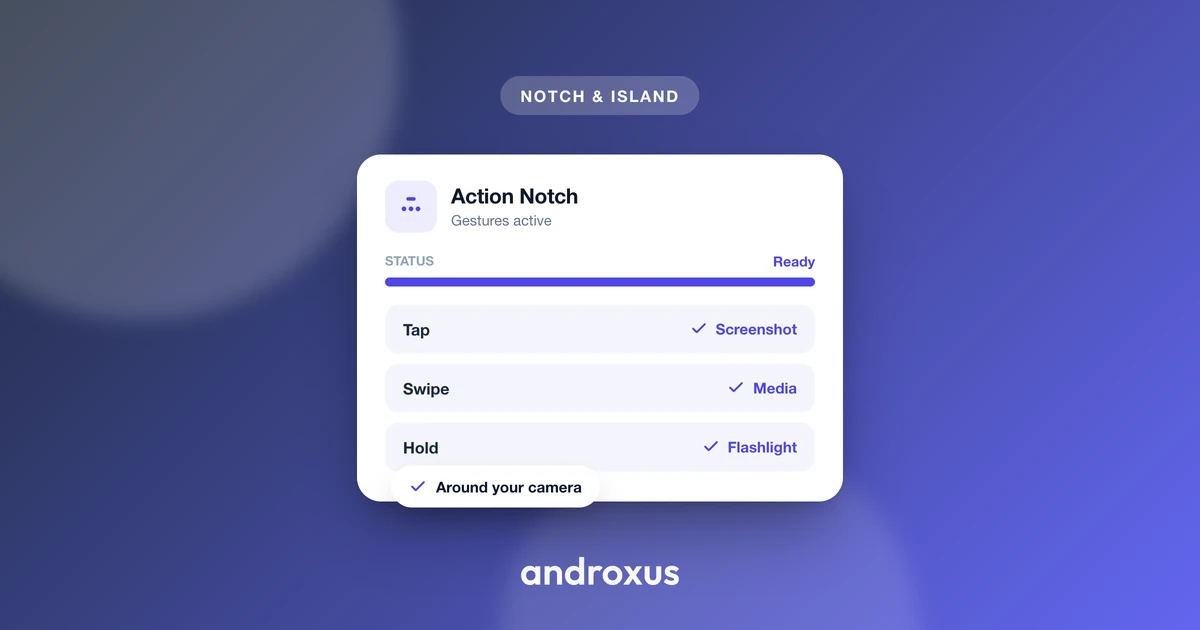
You have seen the pill-shaped animation on an iPhone 14 Pro and wondered whether your Android phone can do the same thing. It cannot, at least not natively, but that has not stopped a whole category of apps from recreating the look and function using nothing more than permissions Android already exposes. If you are searching for how to get Dynamic Island on Android, the honest answer involves a software overlay, not a hidden system setting.
Quick answer: Android has no built-in Dynamic Island, so getting one means installing a software overlay app, such as Action Notch, that draws an interactive zone around your camera cutout. Grant it Display over other apps to render the overlay, then optionally Notification access for previews and an Accessibility service for tap and swipe gestures. Position the island over your notch or punch-hole (or at the top of the screen if you have neither), pick what it displays, and disable battery optimization so it survives restarts. No root is required, and it works on notch, punch-hole, and cutout-free phones alike.
What you'll learn
- Why Android has no native Dynamic Island and what the DisplayCutout API actually does
- What a Dynamic Island app is doing under the hood, and what it is not doing
- Which three Android permissions power the overlay, notifications, and gestures, and why each one exists
- The exact setup steps, from installing the app to configuring gestures
- How to fix the most common problem: the overlay disappearing after a restart
Why Android has no built-in Dynamic Island
Dynamic Island is Apple's proprietary feature, introduced on the iPhone 14 Pro, tied to that phone's specific pill-shaped camera and Face ID cutout and to iOS software. It is not an open standard, and Google has never shipped an operating system level equivalent across Android devices.
What Android does provide is the DisplayCutout API, available since Android 9 (API level 28), which lets apps query the size, shape, and position of a display cutout so they can lay content around it without a notch or punch-hole blocking a status bar icon or button. That is a layout API meant for developers, not a consumer-facing interactive island, and it does nothing on its own without an app built on top of it.
A small number of OEMs have built their own version at the skin level. realme's Mini Capsule, first shipped on the Realme C55 and later the C51, wraps notification, battery, and data-usage indicators around the phone's centered punch-hole camera. It is a genuine feature, but it is limited to select realme models, not a general Android capability, so most people asking how to get Dynamic Island on Android are on phones without any OEM equivalent at all.
What a Dynamic Island app for Android actually does
These apps are software overlays. They draw a persistent window on top of the existing screen, positioned using the coordinates the DisplayCutout API reports for that device's notch or punch-hole. A few things worth being precise about:
- They do not modify the phone's hardware, firmware, or the physical cutout in any way.
- They do not improve battery life or performance. Running an overlay is an added background process, not an optimization.
- They do not require root access. All functionality is built on standard Android app permissions available to any non-rooted phone.
- Depending on which features you use, the app relies on up to three separate Android permissions: the overlay permission for drawing on screen, notification access for showing notification previews, and an accessibility service for detecting taps, swipes, and long-presses over the cutout area.
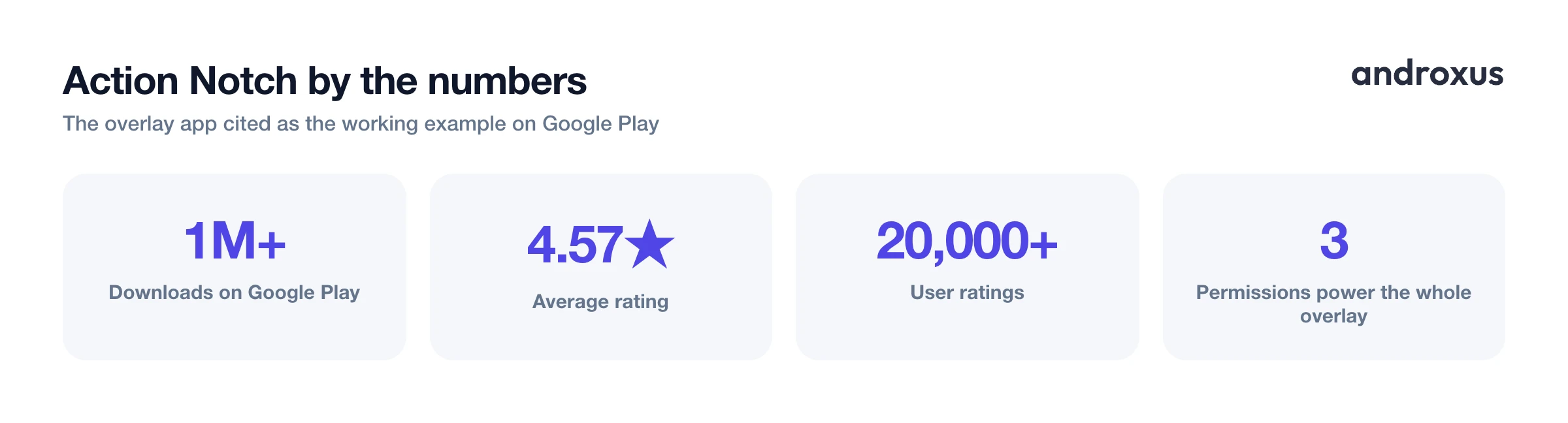
Action Notch is one app built around this approach, with over 1 million downloads and a 4.57 star rating across more than 20,000 ratings on Google Play. It turns the cutout area into a zone that can show notifications and media controls and respond to gestures, but it is still, mechanically, a permissions-based overlay, not a hardware feature.
The permissions behind it: what each one does and why
Every claim here maps to a real, documented Android mechanism, not a proprietary trick.
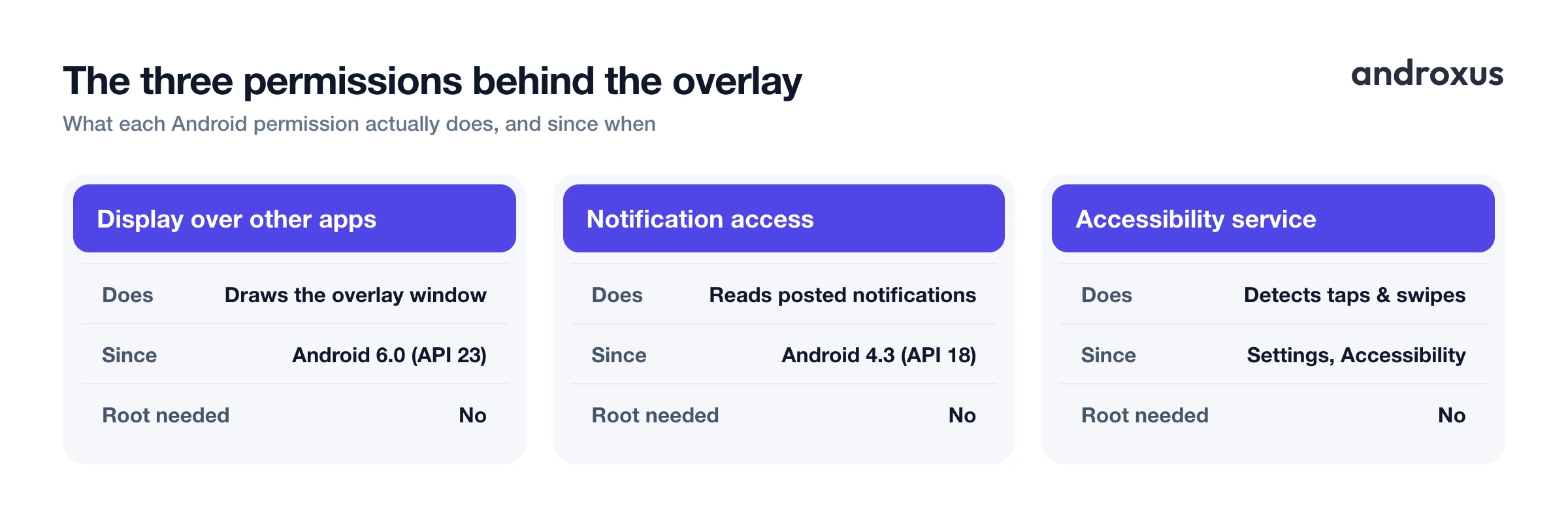
"Display over other apps" is the user-facing settings name for Android's SYSTEM_ALERT_WINDOW permission, which lets an app create a window shown on top of other apps. On Android 6.0 (API 23) and higher, this must be granted explicitly by the user, not just declared in the app's manifest, which is why you will see a permission prompt or need to flip it on manually.
Notification access is backed by Android's NotificationListenerService API, available since Android 4.3 (API 18), and enabled at Settings, Apps, Special app access, Notification access. It lets an app read posted notifications so it can mirror them near the cutout, but it does not grant access to other on-screen content, passwords, or messages beyond what is already shown in a notification.
Accessibility services, enabled at Settings, Accessibility, Installed services, exist beyond their original purpose of assisting users with disabilities. They can also detect gestures and draw accessibility overlays, which is the mechanism apps use to turn taps and swipes on the cutout into actions like triggering a screenshot or toggling the flashlight.
None of these three permissions requires root, and each can be revoked independently in Android system settings at any time, which is a useful way to test what breaks if you turn one off.
| Feature / item | What it is | Requires root? | Available on |
|---|---|---|---|
| Display over other apps (SYSTEM_ALERT_WINDOW) | System permission that lets an app draw a persistent overlay window on screen | No | Any Android phone, granted per-app in Settings |
| Notification access (NotificationListenerService) | System permission that lets an app read posted notifications to mirror them in the overlay | No | Any Android phone, granted per-app in Settings, Special app access |
| Accessibility service | System service that can detect on-screen gestures and draw its own overlay, used for tap, swipe, and long-press actions | No | Any Android phone, enabled per-app in Settings, Accessibility |
| DisplayCutout API | Developer API that reports the size, shape, and position of a notch or punch-hole so apps can lay content around it | N/A, developer-side API, not a user permission | Android 9 (API 28) and higher |
| realme Mini Capsule | OEM built-in feature that wraps battery, data usage, and notification indicators around the punch-hole camera | No | Select realme models only, for example the C55 and C51, not general Android |
| Third-party overlay apps | Software app that creates an interactive Dynamic-Island-style zone over the cutout, or top of screen if there is none | No | Any Android phone via Google Play: notch, punch-hole, or no cutout |
Common setup problems and how to fix them
The most frequent complaint with any overlay-style app is the island disappearing after a phone restart or a system update. This is almost always caused by OEM background-process management, not a bug in the overlay app itself.
Xiaomi phones running MIUI or HyperOS have a separate Autostart toggle under Settings, Apps, Manage apps, [app], Permissions, Autostart, distinct from battery optimization, and it often resets after an OTA update. Samsung has a "Put unused apps to sleep" setting and a background "Sleeping apps" list; an app with no foreground activity for a few days can get moved there and killed. Vivo and some other OEMs keep Autostart as a separate control inside a Security or Phone Manager app rather than in main Settings, which is easy to miss if you only check the standard battery menu.
Disabling Android's general battery optimization for the app, at Settings, Battery, Battery optimization, [app], Don't optimize, is necessary but often not sufficient on these OEM skins. The manufacturer-specific autostart or sleep setting has to be changed too, and it is worth checking both after any major software update, since manufacturers periodically reset these lists.
How to get Dynamic Island on Android
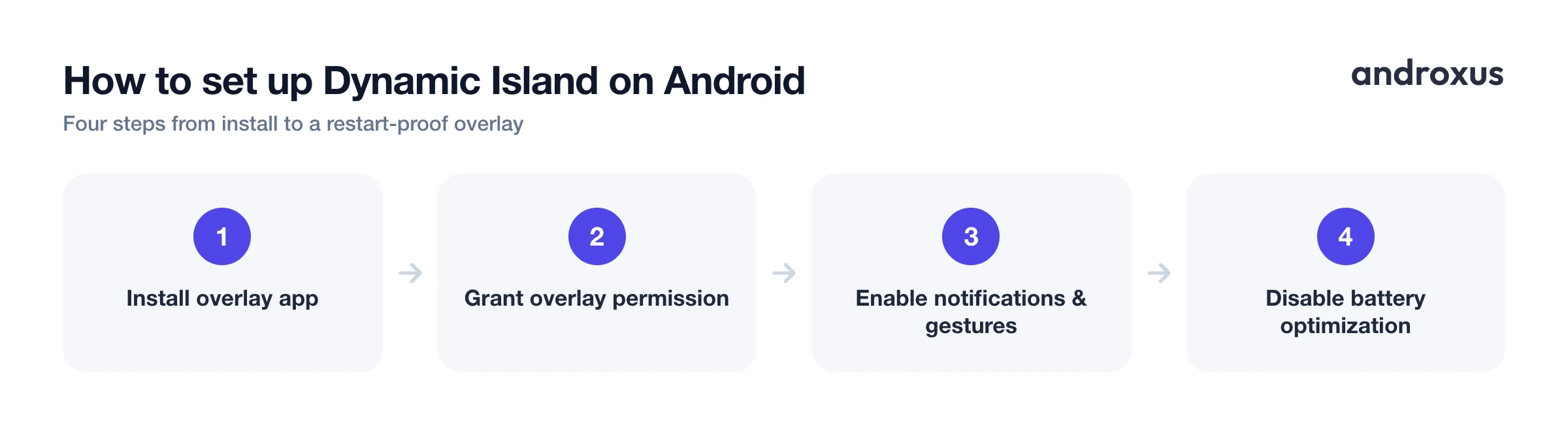
- Install a notch overlay app from the Play Store. Search Google Play for a Dynamic Island style overlay app and install it. These apps work on phones with a notch, a punch-hole camera, or even no cutout at all, since they rely on the Android DisplayCutout API to detect the screen shape rather than requiring a specific hardware design.
- Grant the Display over other apps permission. Open the app and grant the overlay permission when prompted, or enable it manually under Settings, Apps, [app name], Display over other apps. This is the user-facing name for Android's SYSTEM_ALERT_WINDOW permission. Without it the app cannot draw its interactive zone on top of your home screen and other apps.
- Enable notification access for notification previews. If you want the island to show incoming notifications, grant Notification access under Settings, Apps, Special app access, Notification access, backed by Android's NotificationListenerService API. This lets the app read which notifications arrive so it can surface them near the cutout; it does not let the app read on-screen content.
- Turn on the accessibility service for gesture controls. For tap, swipe, and long-press gestures over the cutout to trigger actions like screenshot or flashlight, enable the app's service under Settings, Accessibility, Installed services. Android accessibility services can detect input gestures and post overlay content, which is what makes press-and-hold or swipe actions on the island possible.
- Position the island over your cutout and choose what it shows. In the app's setup screen, confirm the overlay is centered correctly over your notch or punch-hole, most apps auto-detect this from the DisplayCutout bounds, and adjust size or offset if needed. Then choose which elements appear: notification icons, media playback controls, a charging indicator, or quick toggles.
- Fix autostart and battery optimization so the overlay survives reboots. On Xiaomi, Samsung, OnePlus, and similar OEM Android skins, find the app under Settings, Battery, Battery optimization and set it to Don't optimize, and separately enable Autostart (Xiaomi/Vivo Security app) or disable Put unused apps to sleep (Samsung). These OEM-specific background restrictions, not the app itself, are the most common reason an overlay disappears after a restart or system update.
Key takeaways
- Android has no native Dynamic Island; the DisplayCutout API only reports cutout shape and position, and it takes an overlay app built on top of it to create anything interactive.
- Getting Dynamic Island on Android means installing a software overlay, which needs Display over other apps at minimum, plus Notification access and an Accessibility service if you want notification previews and gestures.
- None of this requires root, and it works the same way on notch, punch-hole, and cutout-free phones since positioning comes from the DisplayCutout API or defaults to the top of the screen.
- If the overlay disappears after a restart, the fix is almost always OEM autostart and battery optimization settings, not a reinstall.
- realme's Mini Capsule shows this can exist at the OEM level, but it is limited to a handful of models, which is why a Play Store app remains the practical route for most phones.
Frequently asked questions
Does Android have a built-in Dynamic Island?
No. Dynamic Island is a proprietary Apple feature tied to the iPhone 14 Pro and later hardware and iOS software. Android has no equivalent system feature. The closest thing is the Android DisplayCutout API (available since Android 9, API level 28), which lets apps detect the size and position of a notch or punch-hole, but it does not create an interactive overlay on its own. A few OEMs ship their own version, such as realme's Mini Capsule on select punch-hole phones like the C55 and C51, but this is not part of stock Android and is not available on most devices.
Is a Dynamic Island app a hardware modification?
No. These are software overlay apps. They draw a window on top of your existing screen using the standard Android overlay permission (SYSTEM_ALERT_WINDOW, shown to users as "Display over other apps"). The physical camera cutout and display hardware are untouched. The app is positioning software graphics near the cutout, not altering it.
Will an overlay app slow down my phone or drain the battery faster?
A lightweight overlay is a small persistent view, not a system optimization tool, so it does not improve performance or battery life, and any always-on overlay uses some background resources. The bigger real-world battery issue is the reverse: aggressive OEM battery optimization (on brands like Xiaomi, Samsung, and OnePlus) can kill the overlay's background process, which is why these apps ask you to disable battery optimization and enable autostart for them specifically.
Do I need to root my phone to use one of these apps?
No. Overlay-style Dynamic Island apps for Android run entirely on standard, non-root permissions: the display-over-other-apps (overlay) permission, and optionally notification access and an accessibility service. Root access is not required and reputable apps in this category do not ask for it.
Does this work if my phone has a punch-hole camera instead of a notch, or no cutout at all?
Yes. These apps use the Android DisplayCutout API to detect whatever cutout shape your phone has, notch, punch-hole, or none, and position the interactive zone accordingly. On phones with no cutout, the overlay is simply placed at the top of the screen instead of wrapped around a physical cutout.
Why did the overlay stop working after I restarted my phone?
This is almost always an OEM background-management issue, not an app bug. Manufacturers like Xiaomi, Samsung, and OnePlus aggressively restrict autostart and kill background processes to save battery, and this can reset after a system update. Re-enabling autostart for the app and turning off battery optimization for it specifically, not just the general Android toggle, usually fixes it.
