Best EQ Settings for Headphones vs Speakers
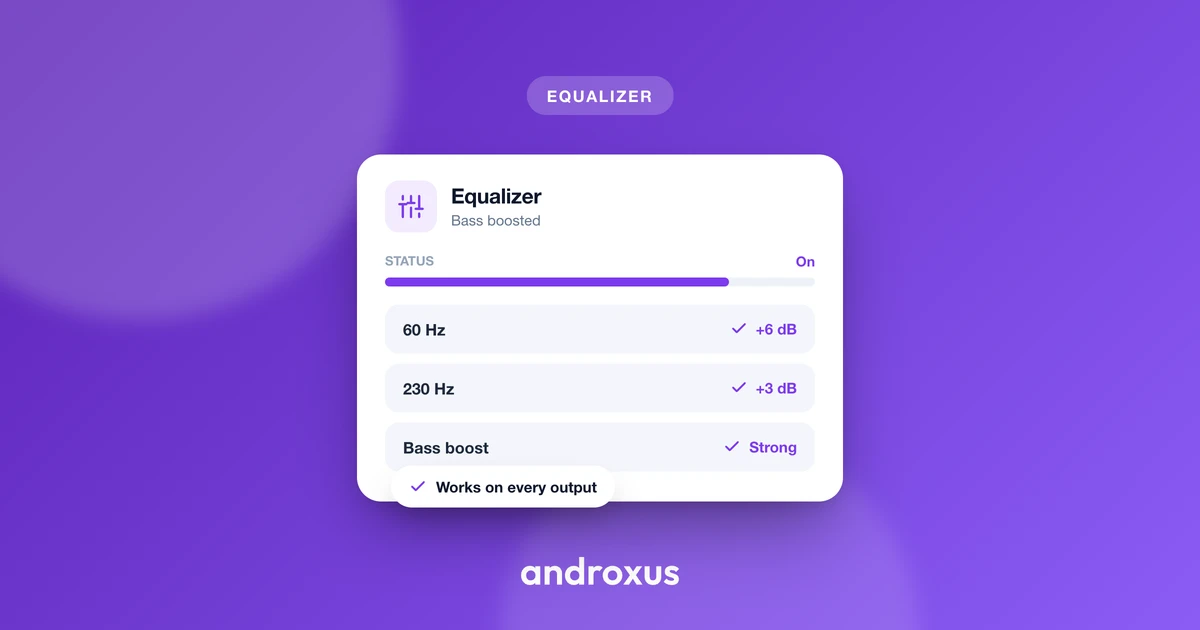
A curve that sounds perfectly balanced on your headphones can turn thin and shrill the moment you switch to a Bluetooth speaker, and vice versa. That's not a coincidence or a bad preset, it's physics: the two listening paths reach your ears in completely different ways, so the best EQ settings for headphones are rarely the best EQ settings for speakers.
Quick answer: Headphones and speakers need different EQ curves because headphones send sound straight into the ear canal with no room in between, while speakers rely on the room to add natural bass buildup and soften harsh treble. On headphones, use a gentle bass shelf plus a light treble lift and avoid boosting 2 to 5 kHz. On phone or small Bluetooth speakers, skip deep sub-bass the driver can't reproduce, add a little low-mid warmth instead, and go easy on 1 to 3 kHz. Treat each as a separate profile rather than one shared preset.
What you'll learn
- Why the same EQ curve sounds different on headphones versus speakers
- How to tune bass, mids, and treble specifically for headphones and earbuds
- How to tune EQ for phone speakers and small Bluetooth speakers without adding distortion
- A frequency-by-frequency cheat sheet comparing the two
- How to build and save separate profiles for each output, and how to do it safely
Why Headphones and Speakers Need Different EQ
Speakers play into a room, and the room adds its own coloration. Low frequencies are hard for a typical room to absorb, so they build up and reach your ears boosted, while high frequencies get absorbed more readily and arrive slightly softened. By the time speaker sound reaches your ears, the room has already reshaped it.
Headphones skip that step entirely. Sound travels straight from the driver into the ear canal, so the natural bass boost and treble softening that a room provides simply never happens.
This is the reasoning behind the Harman target curve, a widely cited piece of headphone tuning research. It found that a genuinely flat frequency response on headphones actually sounds thin and clinical to most listeners. A well-liked headphone tuning instead adds a modest bass lift and a slight treble lift, recreating what a room would have added if you were listening to the same recording on speakers instead.
The practical takeaway: an EQ curve built for one listening path, room plus speaker, is not built for the other, driver directly against or inside the ear. That's why copying a speaker preset onto headphones, or a headphone preset onto a speaker, usually sounds a little off in ways that are hard to pin down until you know what to listen for.
Tuning EQ for Headphones and Earbuds
Because there's no room to add warmth on its own, headphones generally benefit from a gentle low-end shelf, roughly 60 to 150 Hz, rather than a narrow spike. A broad, modest lift keeps bass full without making it boomy or one-note.
The 2 to 5 kHz presence range sits close to the ear canal's own natural resonance, and it's the most common source of listening fatigue or harshness on headphones and earbuds. This range is usually better left alone, or trimmed slightly, rather than boosted.
A small treble lift above roughly 6 to 8 kHz can restore some of the "air" and detail that a room would normally add. But large boosts here quickly turn sibilant or sharp, especially on earbuds with a sealed fit, so keep any treble lift light.
Closed-back headphones and most earbuds already emphasize bass more than open-back headphones simply because of the sealed enclosure. The same EQ curve applied to both will sound noticeably heavier on a sealed pair than on an open one, so don't assume one bass setting fits every headphone you own.
An anti-distortion limiter matters more as boost levels climb on headphones, since headphone drivers are still bounded by their own hardware limits even though they sit right against the ear.
Tuning EQ for Phone and Bluetooth Speakers
Small speaker drivers, including phone speakers and most portable Bluetooth speakers, physically roll off well before headphone drivers do. Cellphone speaker output commonly starts dropping around 800 Hz, and without a dedicated woofer, output falls off rapidly below roughly 300 Hz.
Because of that roll-off, pushing deep sub-bass, roughly 20 to 60 Hz, on a phone or small Bluetooth speaker mostly just drives the limiter or adds distortion and rattle rather than producing audible bass. The hardware simply cannot move enough air at those frequencies, no matter how far a slider is pushed.
A more effective approach on small speakers is a modest boost in the low-mid range, roughly 250 to 500 Hz. It reads as warmth without asking the driver to do something it physically cannot.
Mid and low-power drivers reproduce midrange frequencies most efficiently, so speakers can sound tinny or midrange-heavy by default. Small speakers often benefit from very slightly pulling back 1 to 3 kHz rather than boosting it further.
Room placement still affects larger Bluetooth or bookshelf speakers, too. Bass frequencies build up near walls and corners due to room modes, so a speaker's real-world bass can already be inflated depending on where it sits, independent of any EQ you apply.
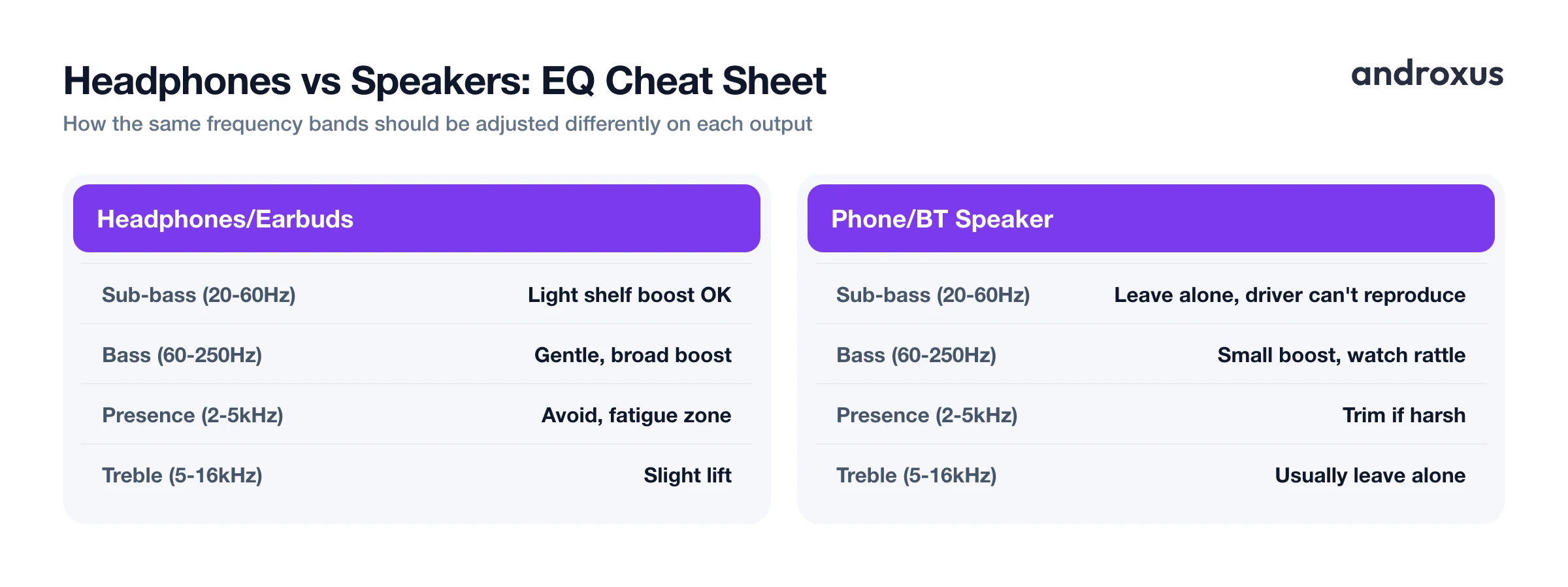
Headphones vs Speakers EQ Cheat Sheet
| Frequency Band | Typical Range | Headphone Adjustment | Phone/Bluetooth Speaker Adjustment | Why It Differs |
|---|---|---|---|---|
| Sub-bass | 20-60 Hz | Light shelf boost is fine | Leave alone; driver can't reproduce it, boosting just adds distortion | Small speaker drivers physically roll off before this range |
| Bass | 60-250 Hz | Gentle, broad boost | Small boost only; watch for rattle | Headphones need this to replace missing room boost |
| Low-mid | 250-500 Hz | Keep near neutral | Modest boost for perceived warmth | Speakers lack the sub-bass to feel warm otherwise |
| Midrange | 500 Hz-2 kHz | Keep close to neutral | Keep close to neutral | Both outputs already reproduce this range efficiently |
| Presence | 2-5 kHz | Avoid boosting; common fatigue zone | Trim slightly if harsh | Ear canal resonance amplifies this range on headphones |
| Treble/air | 5-16 kHz | Slight lift to compensate for no-room listening | Usually leave alone | Room naturally softens treble on speakers already |
A Practical EQ Workflow (Headphones vs Speakers)
Start from a flat or neutral baseline for whichever device is connected, rather than adjusting on top of an existing preset, so changes are easy to judge as you make them.
Treat headphones or earbuds and phone or Bluetooth speaker output as two separate EQ profiles rather than one shared setting, since the correction each one needs points in different directions for bass and treble.
On headphones, apply a broad low-end shelf plus a light treble lift, and avoid touching the 2 to 5 kHz zone unless something sounds harsh. On phone or small Bluetooth speakers, ease off sub-bass, add a little low-mid warmth, and watch the 1 to 3 kHz range for harshness rather than boosting it.
Recheck the curve at the volume you actually listen at, since perceived bass and treble balance shifts between low and high volume. A curve that sounds right quietly can sound bass-light when played loud, or boomy the other way around.
An app like Flow Equalizer that offers separate custom profiles, and can auto-apply a profile the moment headphones connect, makes it practical to keep a headphone curve and a speaker curve on hand without re-tuning by hand every time you switch output.
How to Set the Best EQ Settings for Headphones vs Speakers
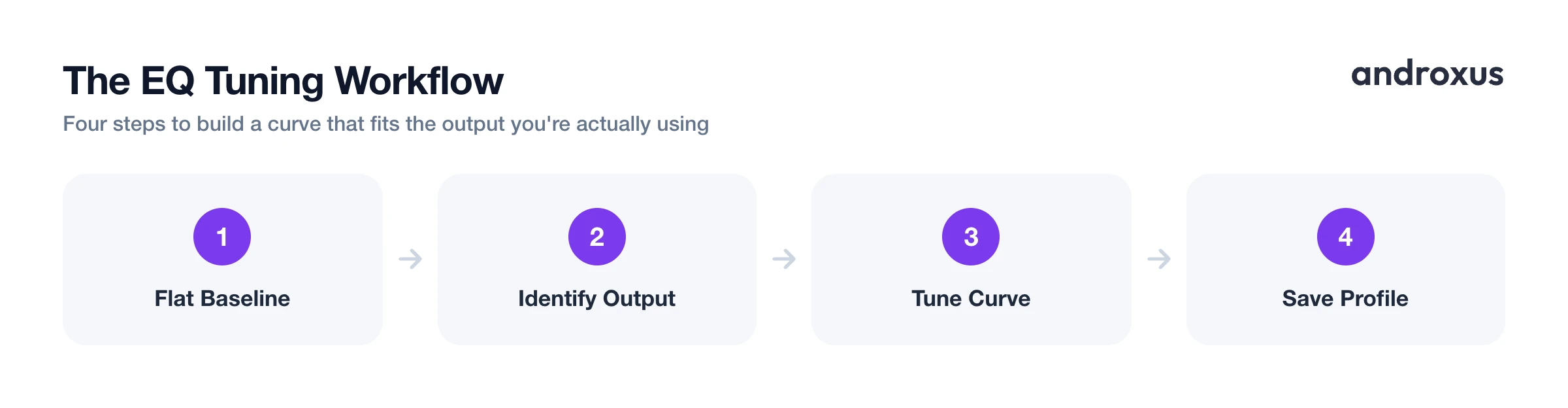
- Start from a flat baseline. Before adjusting anything, reset the equalizer to flat, or as close to neutral as the app allows, for the output device you're currently using, so you can hear the effect of each change clearly instead of stacking it on an unknown starting point.
- Identify the output type. Check whether you're listening through wired headphones or earbuds, Bluetooth headphones or earbuds, or the phone's built-in speaker, since each has a different physical response and needs a different correction.
- Tune the headphone curve. For headphones or earbuds, apply a broad, gentle bass shelf in the low end and a slight lift in the upper treble, but leave the 2 to 5 kHz presence range alone, or trim it slightly, since that's the range most likely to cause listening fatigue.
- Tune the speaker curve separately. For the phone speaker or a Bluetooth speaker, ease off deep sub-bass the driver can't physically reproduce, add a small low-mid boost for warmth instead, and watch the 1 to 3 kHz range for harshness rather than pushing it further.
- Save each as its own profile. Store the headphone settings and the speaker settings as separate custom profiles. In Flow Equalizer this also means a headphone profile can auto-apply as soon as headphones connect, so you're not re-tuning by hand every time you switch output.
- Check levels at real listening volume. Listen back at the volume you'll actually use, not just quietly while adjusting, since bass and treble balance shift with volume, and keep overall boosts moderate to avoid distortion and protect your hearing, following practices like the 60/60 rule on headphones.
Key Takeaways
- Headphones and speakers need different EQ settings because headphones skip the room entirely while speakers rely on it for both bass buildup and treble softening.
- On headphones, a broad bass shelf and a light treble lift work well, but the 2 to 5 kHz presence range should generally be left alone since it's a common fatigue zone.
- On phone and small Bluetooth speakers, deep sub-bass mostly just adds distortion since the driver can't reproduce it; a low-mid boost around 250 to 500 Hz gives a more realistic sense of warmth.
- Saving separate profiles for headphones and speakers, rather than one shared preset, saves you from re-tuning every time you switch outputs.
- Keep boosts moderate and check your curve at real listening volume: the WHO's safe listening guidance shows how quickly safe exposure time drops as volume rises, so it's worth pairing any boost with sensible listening habits.
Frequently asked questions
Should I use the same EQ preset for headphones and speakers?
No. Headphones play directly into the ear with no room to add natural bass and soften treble, while speakers rely on the room for both, so each generally needs a different curve rather than one shared preset.
Why does bass sound weak on my phone's speaker even after boosting it in an equalizer?
Phone speakers use very small drivers that physically roll off in the low end, often starting around 800 Hz and falling steeply below roughly 300 Hz. An equalizer can boost and shape the existing output, but it cannot make a driver reproduce frequencies it isn't built to move, so heavy sub-bass boosts mostly add strain or distortion instead of audible bass.
What is the Harman curve and why does it matter for EQ?
It's a widely referenced headphone tuning target from listener research showing that headphones sound most natural with a bit more bass and a bit more treble than a truly flat response, because that extra bass and treble is what a room would normally add when listening to speakers.
Do open-back and closed-back headphones need different EQ settings?
Often yes. Closed-back headphones and most earbuds already emphasize bass more due to their sealed design, so the same bass boost that sounds right on open-back headphones can sound heavy or boomy on a closed-back or in-ear pair.
Is it safe to boost bass and volume on a phone speaker?
In moderation. Boosting shapes and amplifies the audio your phone is already producing, bounded by the hardware and a limiter that helps control distortion, but pushing levels too high on a small driver risks audible rattle or distortion, and high volume in general carries hearing health risk over time, so keep boosts reasonable.
How loud is too loud when listening with headphones?
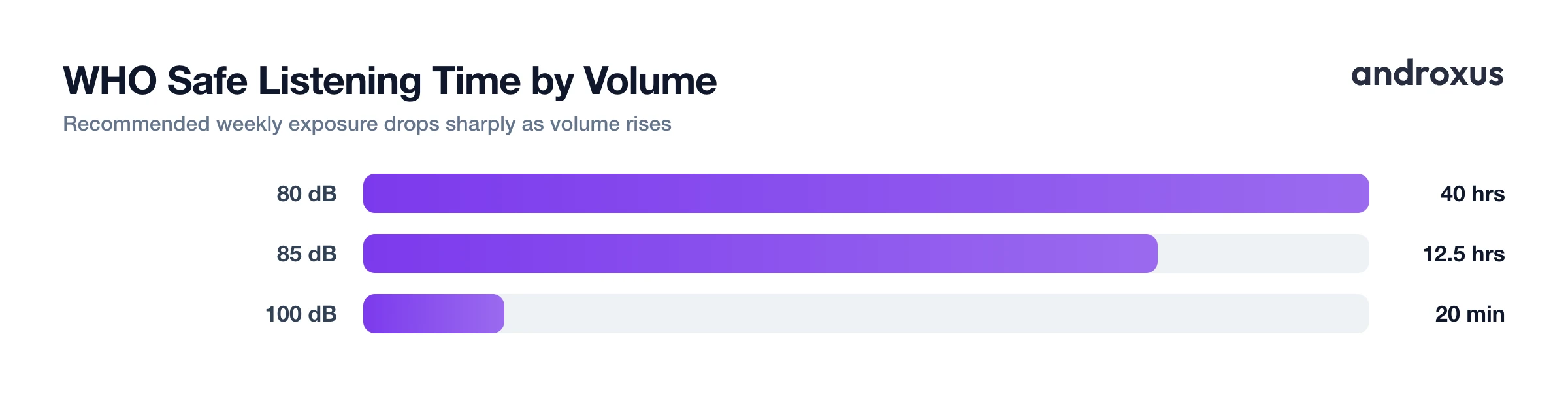
The WHO considers sound at or below about 60 dB safe for unlimited listening, with recommended exposure dropping sharply as volume rises: roughly 40 hours a week at 80 dB, 12.5 hours at 85 dB, and just 20 minutes a week at 100 dB. A simple rule of thumb is the 60/60 guideline: keep volume around 60% of max and take a break after about 60 minutes.
