Are Notch Apps Safe? Dynamic Island Permissions
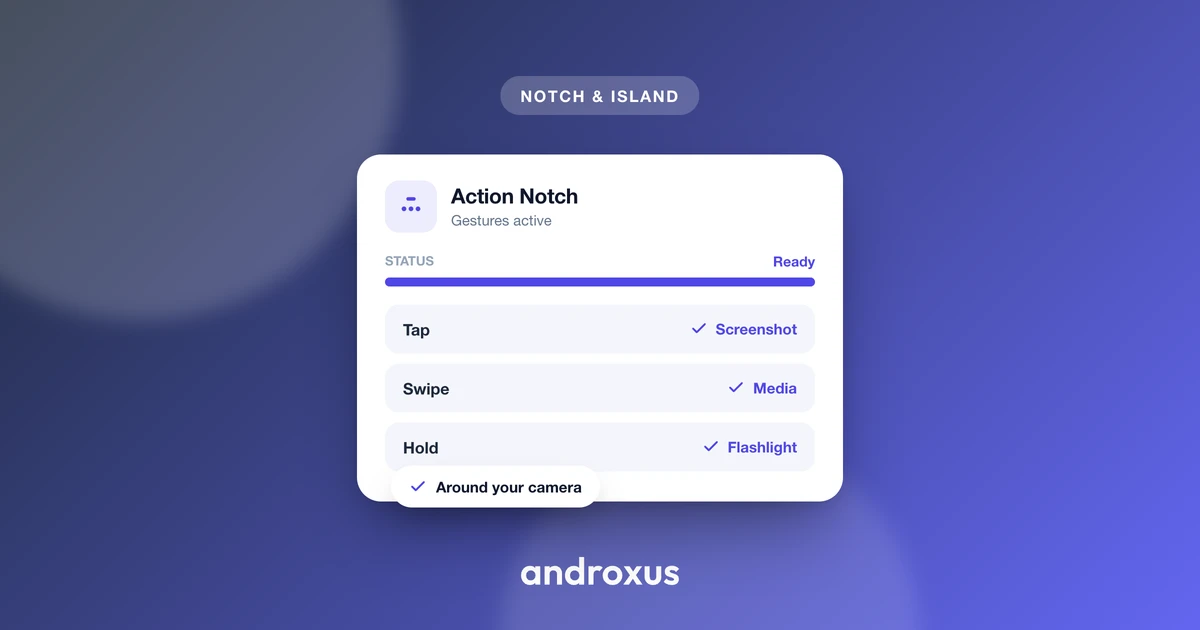
The camera cutout on your Android phone can now do a lot more than sit there: apps turn it into an animated, tappable zone that shows notifications, media controls, and quick actions, much like the iPhone's Dynamic Island. But to pull that off, these apps ask for permissions that sound alarming the first time you see them. So it's fair to stop and ask: are notch apps safe, or are you handing over more access than you should?
Quick answer: notch and Dynamic Island style apps on Android are generally safe when they come from a reputable, established developer, but the category itself carries real risk because the permissions involved (display over other apps, accessibility, and notification access) are powerful ones that malware has abused before. Safety comes down to the specific app, not the concept. Check the developer's history, download count, and rating, confirm the permissions requested match the features offered, and treat any unrelated permission request as a red flag. None of these apps need root access, and legitimate ones won't ask for SMS, contacts, or call log access.
What you'll learn
- What a software notch app actually is, and how it differs from Apple's Dynamic Island
- The three sensitive permissions these apps commonly request, and why
- How the "display over other apps" permission works and the tapjacking risk tied to it
- Why accessibility services are needed for tap actions, and how banking trojans have abused them
- Concrete steps to vet a notch app before granting each permission
What a software notch app actually is
Android has supported display cutouts, notches and punch-holes, as a formal API since Android 9 (API level 28), through the android.view.DisplayCutout class, retrieved via WindowInsets.getDisplayCutout(). A notch or Dynamic Island style app is a software overlay built on top of that API: it draws its own animated graphic over the existing cutout area. It does not alter the physical cutout or the phone's hardware in any way.
This distinction matters because Apple's Dynamic Island is a hardware- and OS-integrated feature on iPhone, tied directly to the sensor housing and iOS. A software notch app on Android emulates that visual and interactive behavior using standard Android permissions and APIs. It is not the same underlying technology, and no honest description of one of these apps should claim it delivers the "real" Dynamic Island. These apps also don't require root access, and they don't improve battery life or performance. They change what you see and can tap over the cutout, not how the phone runs internally.
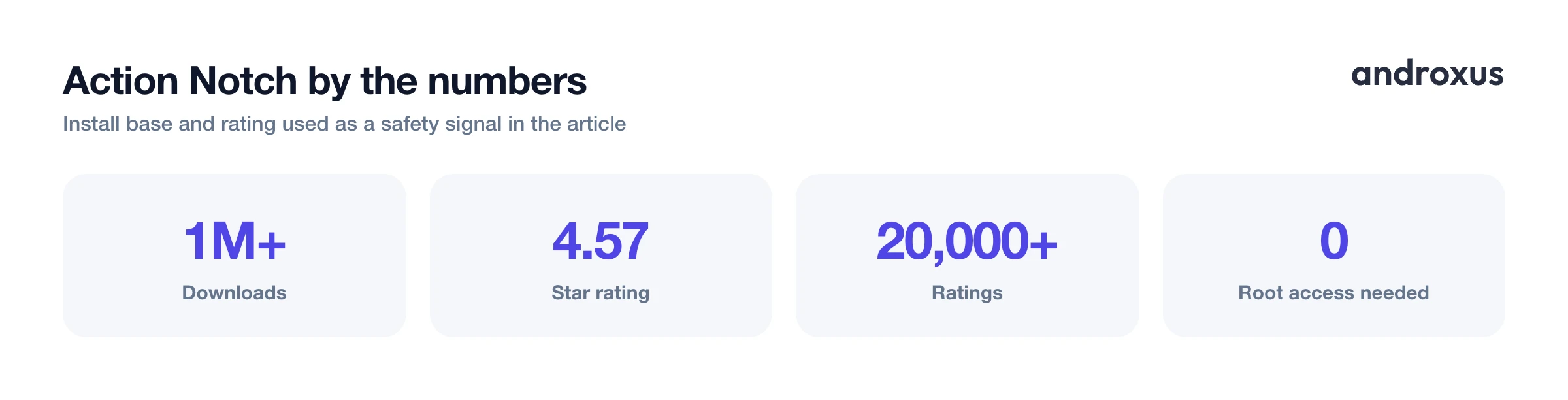
Action Notch is one example in this category, with over 1 million downloads, a 4.57 star rating, and more than 20,000 ratings on Google Play. Its scale is a useful reference point when comparing an established app against a newer, unproven one asking for the same permissions.
The three permissions every notch app relies on
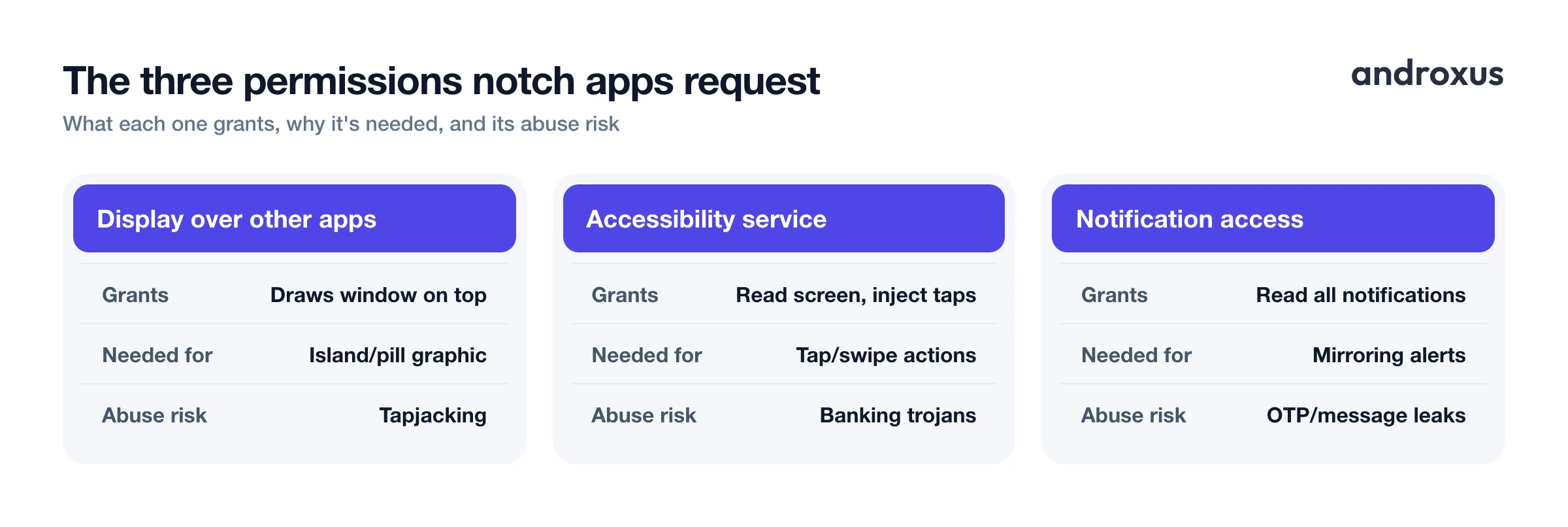
Legitimate notch apps commonly request up to three sensitive Android permissions: display over other apps (SYSTEM_ALERT_WINDOW), an accessibility service, and notification access. Each one unlocks one distinct piece of functionality. The overlay permission draws the island graphic. The accessibility service interprets taps, swipes, and long-presses over the cutout. Notification access surfaces incoming alerts inside that graphic.
None of these permissions are unique to notch apps. They are standard Android APIs also used by password managers, call-blocking apps, floating widgets, and screen readers. An app does not need all three unless it offers features tied to each one; an app that only draws a static shape around the cutout may need just the overlay permission.
| Permission | What it does | Why a notch app needs it | Risk if abused |
|---|---|---|---|
| Display over other apps (SYSTEM_ALERT_WINDOW) | Lets the app draw its own window on top of other apps' windows, including over the status bar and cutout area | Needed to render the animated island or pill graphic and its controls over the camera cutout so it stays visible above whatever app is open | A malicious app can create an invisible or disguised overlay that intercepts taps meant for the app underneath (tapjacking), tricking a user into approving a permission or payment they did not intend |
| Accessibility service | Lets the app observe on-screen elements and, like assistive tools such as screen readers, simulate user input such as taps and gestures | Needed to detect a tap, swipe, or long-press over the cutout zone and translate it into an action such as a screenshot, a flashlight toggle, or media playback control | The same capability lets malware read on-screen text and inject fake taps; banking trojans have used this to harvest data, auto-click through consent dialogs, and intercept one-time passcodes |
| Notification access (notification listener) | Grants read access to notifications posted by other apps, including their title, text, and attached actions | Needed to mirror an incoming call, message, or media alert into the island or pill display in real time | An app with this access can see notification previews, including one-time passcodes and message text, from every app on the device, so it must also be trusted not to log or transmit that content |
Display over other apps: what it enables and the tapjacking risk
SYSTEM_ALERT_WINDOW is the permission behind the "display over other apps" toggle. It lets an app draw a window on top of other apps' windows, including over the status bar and cutout area. Since Android 6.0 (Marshmallow), this permission must be explicitly granted by the user in Settings rather than at install time, which already limits how quietly an app can acquire it.
Android has tightened control over overlays since then. Android 8.0 (Oreo) introduced a dedicated overlay window type, TYPE_APPLICATION_OVERLAY, to make system overlays more visible and manageable. Android 15 added further restrictions on how sideloaded apps can use overlay windows, specifically to curb tapjacking. Tapjacking is a UI-redress attack where a malicious overlay, transparent or disguised, captures taps meant for the app underneath, used to trick users into approving permissions or payments they did not intend to grant. For a notch app, the overlay permission is doing something visible and expected: drawing the island graphic in the same spot every time. That predictability is itself a reasonable check, an overlay that behaves oddly or expands outside the cutout area is worth questioning.
Accessibility service: why tap actions need it, and how it gets abused
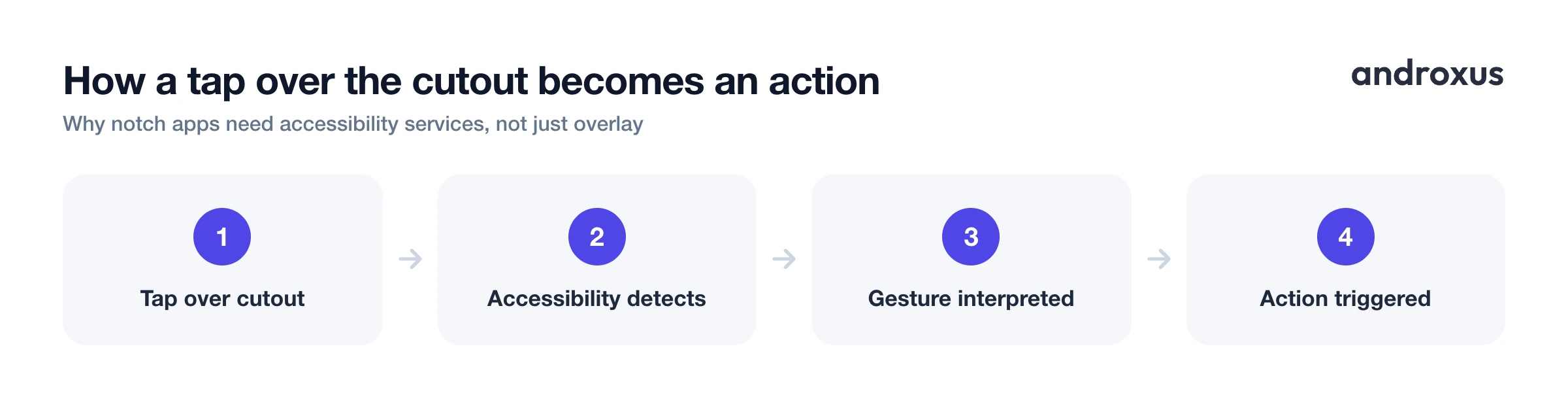
Accessibility services were built for assistive technology such as screen readers and switch-access tools. The API lets an app observe on-screen elements and simulate user input like taps and gestures. A notch app uses this capability to detect a tap, swipe, or long-press specifically over the cutout zone and translate it into an action such as a screenshot, a flashlight toggle, or a media control.
This is also the permission with the worst abuse history. Because the same API can read on-screen content and inject synthetic taps, banking trojans including SharkBot, Xenomorph, and TeaBot have abused accessibility services to harvest data, auto-approve dialogs, and intercept one-time passcodes. Android has responded directly to this pattern. Android 13 restricted accessibility API access by default for apps installed outside app stores via sideloading, closing a common malware distribution path, and Google has continued tightening accessibility API restrictions in subsequent Android releases, including additional limits tied to enhanced device security modes. If a notch app requests accessibility, that alone is not a red flag, the feature it enables is genuine. But it is the permission most worth confirming a real need for before granting.
Notification access: what it sees and why it's sensitive
Notification access, built on Android's NotificationListenerService, is a special access grant enabled manually in Settings, not a runtime permission dialog. An app with notification access can read the title, text, and metadata of notifications posted by every other app on the device. A notch app needs this to mirror an incoming call, message, or media notification into the island or pill display in real time.
Because notification previews often contain sensitive content such as one-time passcodes and message text, this permission carries real exposure if the app or its developer is not trustworthy. It's worth noting the limits too: notification listeners may not function on some low-RAM devices or for notifications generated inside a work profile, due to Android system restrictions. If an app promises notification mirroring but the feature seems inconsistent, that's a normal system limitation, not necessarily a bug.
How to vet a notch app before granting these permissions
- Check the developer and install base. Look up the publisher name, total download count, and star rating on the Play Store listing. An established app with a large install base and years of reviews carries far less unknown risk than an app with a handful of downloads and no track record.
- Read what each permission request actually says. When the app asks for display over other apps, accessibility, or notification access, read the specific system dialog rather than tapping through it. Each one names the exact capability being granted.
- Match each permission to a feature you actually use. Before granting accessibility or notification access, confirm the app has a specific feature that requires it, such as tap actions over the cutout or mirroring alerts into the island. If you do not plan to use that feature, skip the permission.
- Grant permissions one at a time and test. Enable one permission, confirm the feature it unlocks works as described, then move to the next. This makes it clear which permission maps to which behavior.
- Watch for requests outside the app's stated purpose. A notch or island app has no legitimate reason to request SMS, call log, or contacts access. Treat any such request as a red flag regardless of the app's rating.
- Revisit permissions periodically. Check Settings, Apps, the app name, then Permissions occasionally, and revoke accessibility or notification access if you stop using the feature that required it.
Some phone makers build equivalent functionality directly into the OS rather than through a third-party overlay app. realme's Mini Capsule, introduced on the Realme C55 and later the Narzo N55, shows battery, charging, and step-count info around the punch-hole as a system-level feature, not a separately installed app. That's a useful baseline for what a basic version of this feature looks like without any extra permissions at all, since the OS already has system-level access.
Key takeaways
- Are notch apps safe? Generally yes when the developer is established and the permissions requested match the features on offer, but the category involves real permissions worth understanding rather than accepting blindly.
- Display over other apps, accessibility, and notification access are standard Android APIs, not something unique or unusual to notch apps, but they are also the permissions most abused by malware in other contexts.
- Accessibility service carries the highest abuse potential since it can both read on-screen content and simulate taps, so confirm a notch app's tap-action feature genuinely needs it before granting.
- A large, verifiable install base and rating, like Action Notch's 1 million-plus downloads and 4.57 stars from over 20,000 ratings, is a stronger safety signal than any marketing claim.
- No legitimate notch app requires root access or needs SMS, contacts, or call log permissions; treat any such request as disqualifying regardless of everything else.
Frequently asked questions
Are Dynamic Island style notch apps safe to use on Android?
They can be, but safety depends on the specific app and developer, not the category as a whole. These apps are software overlays that request sensitive Android permissions such as display over other apps, an accessibility service, and notification access. Those permissions are standard Android system features used by many legitimate apps. The real risk factor is which developer is asking for them and whether the requested scope matches what the app actually does, so check the developer's track record, download count, and rating before granting the higher-risk permissions.
What does the 'Display over other apps' permission actually let an app do?
Technically called SYSTEM_ALERT_WINDOW, this permission lets an app draw its own window on top of whatever else is on screen, including over the status bar and cutout area. It is the same mechanism used for floating chat heads, picture-in-picture video, and cutout or notch overlays. Since Android 6.0, users must explicitly grant it in Settings rather than at install time, and Android 15 added further restrictions on how sideloaded apps can use overlay windows specifically to curb tapjacking.
Why would a notch app need an Accessibility service instead of just the overlay permission?
The overlay permission only lets an app draw graphics on top of the screen, it does not let the app detect a tap or swipe made over that graphic. Accessibility services, originally built for screen readers and other assistive tools, are the Android API that can observe on-screen input and simulate gestures. A notch app uses this to recognize when you tap, swipe, or long-press over the cutout zone and convert that gesture into an action like a screenshot or a flashlight toggle.
Can a notch app read my messages, passwords, or notifications?
It depends on which permissions you granted and what the app chooses to do with them. Notification access lets an app read the text of every notification posted on the device, including message previews and one-time passcodes, so that content is technically visible to any app with that permission enabled. Accessibility services can, in principle, read on-screen text, which is exactly the capability banking trojans such as SharkBot and TeaBot have abused in the past. This is why permission scope and developer trust matter more than the app's category.
Does a notch app like Action Notch modify my phone's hardware or improve battery life?
No. A software notch app is a camera-cutout overlay built on the standard Android DisplayCutout API; it does not alter the physical cutout, the phone's hardware, or the phone's performance or battery behavior. It emulates the visual and interactive behavior of Apple's Dynamic Island using standard Android permissions such as display over other apps, and depending on the feature set, an accessibility service and notification access. It does not require root access.
How can I tell if a notch app's permission requests are excessive?
Compare what the app promises to do with the permissions it asks for. An app that only shows a battery indicator in the cutout has little reason to request notification access or accessibility. An app that offers tap-to-screenshot or gesture controls plausibly needs accessibility. Beyond that, check the developer's name and history, the total download count and star rating, and whether permission requests appear only when you enable a matching feature rather than all at once on first launch.
