How to Create Handwriting Font From Your Own Writing
Ever wanted a document to look like you sat down and wrote it by hand, in your own handwriting, without actually writing every page yourself? That's what a custom handwriting font does: it turns your penmanship into a reusable font file you can apply to any typed text going forward.
Quick answer: To create a handwriting font, download a character template from a font-creation tool like Calligraphr or FontCrafter, fill in every letter, number, and punctuation box by hand, then scan or photograph the page and upload it back to the tool. The tool detects each character and builds a font file you can export as TTF or OTF. From there, you can upload that font into an app like Handwriter to format any typed or pasted text in your own handwriting style.
What you'll learn
- Why turning your handwriting into a font is useful, and what it doesn't do
- What you need on hand before you start
- The exact steps from blank template to finished font file
- How to pick between the different font-creation tools available
- How to bring your finished font into a handwriting converter
Why turn your handwriting into a font
A custom handwriting font lets you reuse your own writing style on any typed text, instead of writing every page by hand. Once a font file exists, it works like any other font: you can preview it inside a font-creation tool, or upload it into an app like Handwriter to format typed or pasted text into that handwriting style.
It's worth being precise about what this actually does. Creating a font from your handwriting is different from generating content. The font only changes how existing text looks; it doesn't write anything for you. You still type or paste the words, the font just renders them in your handwriting style instead of a standard typeface.
That makes it useful for a specific set of tasks: personal notes, greeting cards, journaling templates, or making study material look handwritten, all while keeping the actual wording under your control. It's a formatting tool, not a writing tool.
What you need before you start
Font-creation tools work from a filled-in template rather than freeform handwriting samples, so a bit of prep makes the process go smoothly.
- A printer, or a tablet you can write on, to produce a character template. Most tools expect a filled-in page, not scattered notes.
- A pen with consistent ink flow. Black or dark ink scans and photographs with the most contrast, which helps the tool detect each letter cleanly.
- A scanner, or a phone camera with good even lighting. Most tools accept a photo as long as the page is flat and well lit.
- A desktop or laptop browser for the font-creation step, since tools like Calligraphr and FontCrafter run as web apps.
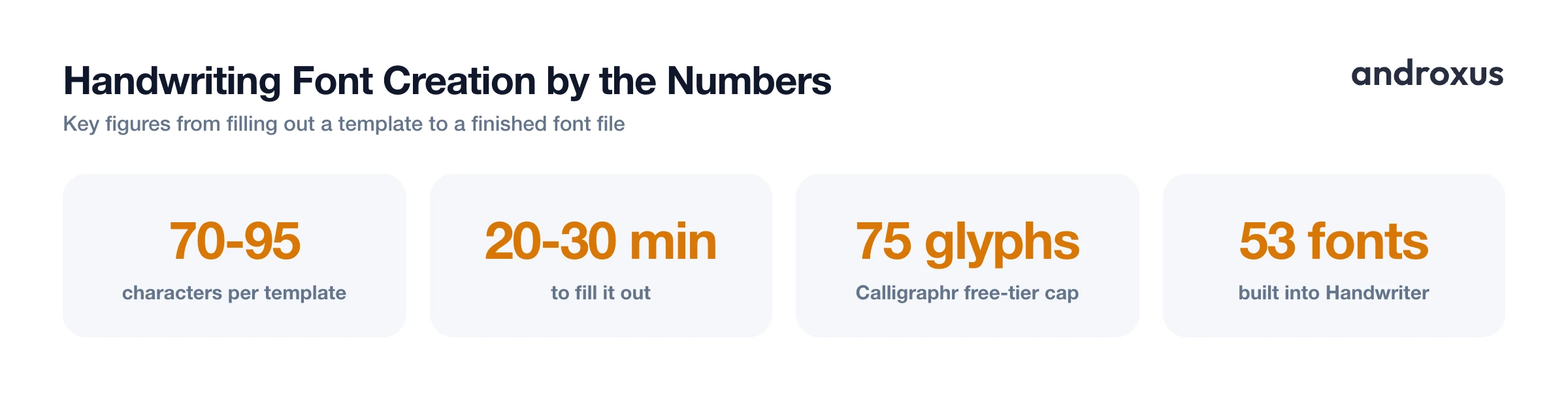
- About 20 to 30 minutes to fill out a full character set without rushing. Rushed letters tend to produce inconsistent glyph shapes, which shows up in the final font.
Step by step: from handwriting sample to font file
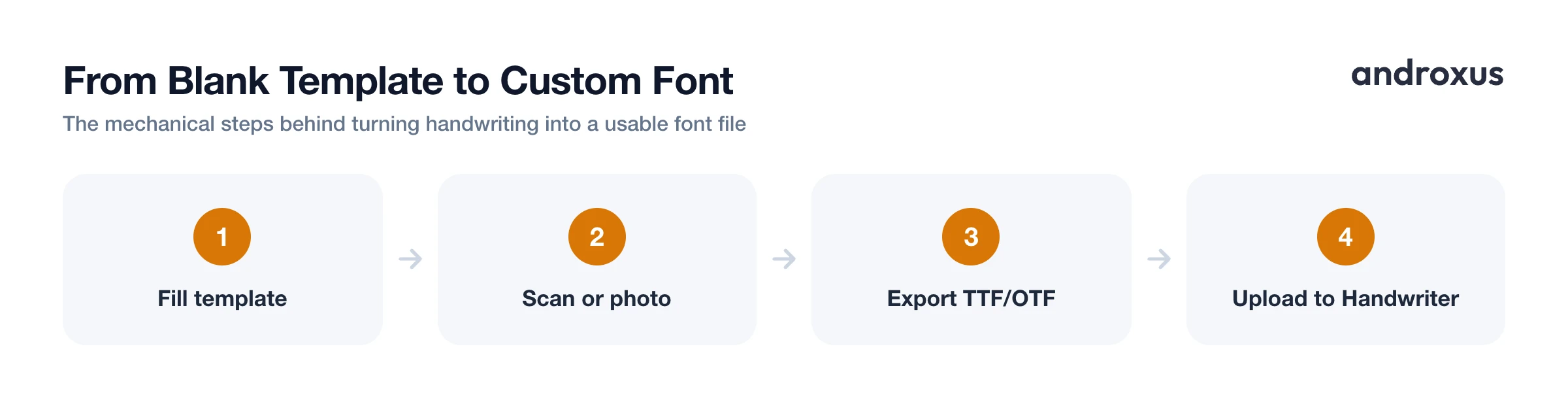
The actual process is more mechanical than it sounds, and doesn't require any design software.
- Download a template PDF from a font-creation tool. Templates typically contain boxes for uppercase letters, lowercase letters, numbers, and common punctuation, roughly 70 to 95 characters total.
- Fill in every box by hand, writing naturally rather than trying to make each letter identical. Real handwriting has slight variation, and that variation is part of what makes the result convincing.
- Scan or photograph the completed template as a single image or PDF, keeping the page flat and evenly lit so the tool can detect each letter cleanly.
- Upload the scan back to the same tool. It auto-detects each character in its box and builds a font from the shapes.
- Preview the generated font on-screen, then download it as a TTF or OTF file, the two standard formats almost all font tools and apps accept.
Free tiers do have limits worth knowing about upfront. Calligraphr's free plan caps a font at 75 glyphs, which is close to a full character set but may cut a few extras like accented characters. FontCrafter is free with no account required and processes everything locally in the browser, which is convenient if you'd rather not upload a scan of your handwriting to a server.
Choosing the right font-creation tool
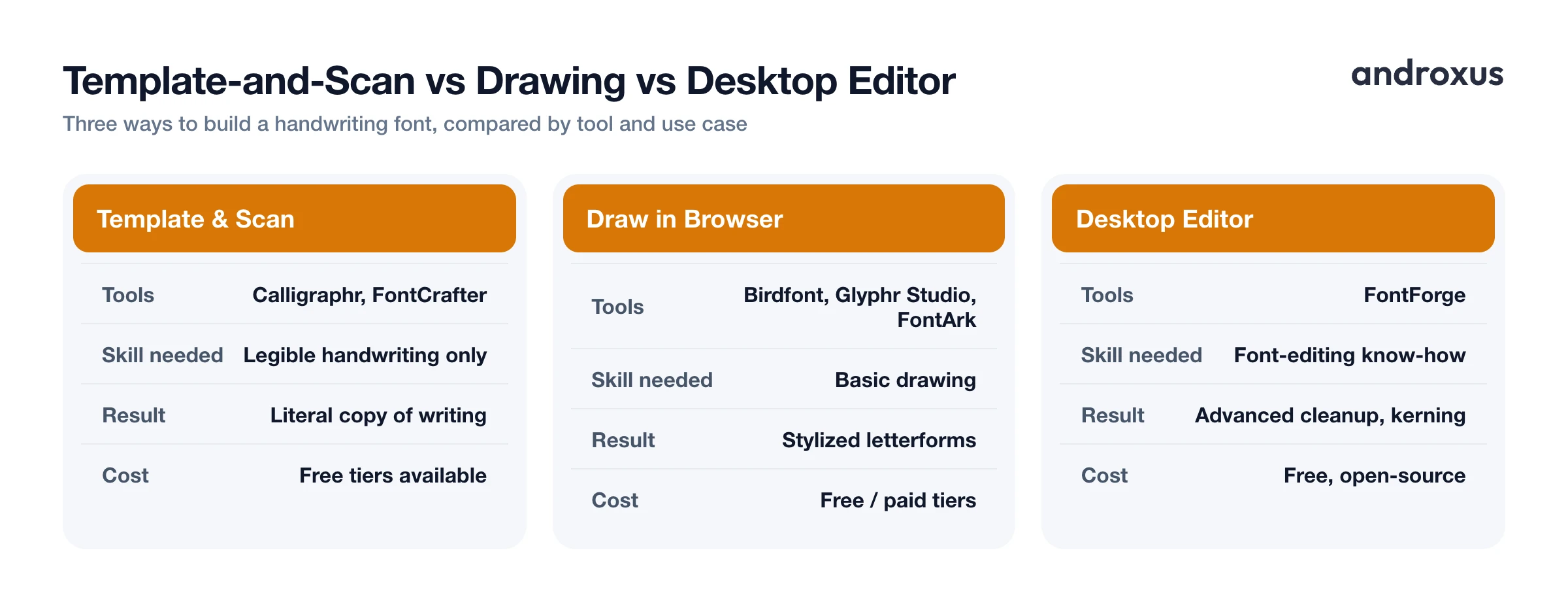
There are two broad approaches to building a font from handwriting, and the right one depends on whether you want a literal copy of your writing or something more stylized.
Template-and-scan tools like Calligraphr and FontCrafter are the simplest route and need no drawing skill, just legible handwriting on paper. Drawing-based tools like Birdfont, FontArk, Glyphr Studio, and MakeYourOwnFont.com let you draw letterforms directly in a browser instead of scanning paper, which is useful if you want a stylized rather than literal handwriting look. FontForge is a free, open-source desktop font editor suited to advanced cleanup, like fixing kerning or touching up a scanned letter shape after generation.
Whichever tool you use, output format matters: TTF (TrueType) and OTF (OpenType) are the two formats supported almost everywhere, including font upload features in mobile apps.
| Tool | Approach | Cost | Best For |
|---|---|---|---|
| Calligraphr | Template and scan | Free up to 75 glyphs | Beginners wanting an accurate copy of their handwriting |
| FontCrafter | Template and scan | Free, no account, browser-based | Quick fonts without creating an account |
| Birdfont | Draw in browser/desktop | Free / paid tiers | Stylized letterforms, more control |
| Glyphr Studio | Draw in browser | Free | Lightweight browser-based drawing |
| FontArk | Draw in browser | Free | Simple vector-based letter drawing |
| FontForge | Desktop editor | Free, open-source | Advanced cleanup and kerning fixes |
Tips for a more natural-looking result
A few habits make the difference between a font that looks convincingly like handwriting and one that looks like a script font.
Write at your normal pace and pressure. Slowing down to be "neat" often makes the font look stiffer and less like real handwriting. Some tools support multiple variants per letter, Calligraphr's free tier allows up to two per character, which the font rotates between automatically for a less repetitive, more natural look across a page of text.
Keep lighting even and avoid shadows across the page when photographing a template, since shadows can be misread as ink by the detection step and distort a letter's shape. And if a letter comes out oddly shaped in the final font, most tools let you redo just that one box and regenerate rather than starting the whole template over.
Using your custom font in a handwriting converter
Handwriter converts typed or pasted text into a realistic handwritten-looking page and exports it as a PDF, and it includes 53 free handwriting fonts plus the option to upload your own. Once you've exported a TTF or OTF file from a font-creation tool, you can upload it into Handwriter's font library and select it the same way as any built-in font.
It's worth repeating the distinction here: the app formats the text you provide, it does not write, complete, or generate the content itself. Your uploaded font is applied to whatever you type or paste, not to text the app creates on its own. Once uploaded, the custom font works alongside Handwriter's other formatting controls, margins, letter and word spacing, ink and line color, and paper style, so a page in your own handwriting can still be adjusted for layout and realism before you export it.
How to Create Handwriting Font From Your Own Writing
- Download a character template. Get a printable template PDF from a font-creation tool such as Calligraphr or FontCrafter. It contains labeled boxes for uppercase and lowercase letters, numbers, and punctuation, usually 70 to 95 characters total.
- Fill in every box by hand. Write naturally with a dark, consistent pen. Avoid trying to make every letter identical, natural variation is what makes the final font look like real handwriting.
- Scan or photograph the completed page. Capture the filled-in template as a flat, evenly lit image or PDF so the tool can cleanly detect each character in its box.
- Upload the scan to the font-creation tool. The tool reads each box and converts your handwriting into digital letterforms automatically.
- Preview and export the font. Check the generated font on-screen, then download it as a TTF or OTF file, whichever the tool offers.
- Upload the font file into Handwriter. Add the TTF or OTF file through Handwriter's upload-your-own-font option, then select it to apply your handwriting style to any text you type or paste before exporting the page as a PDF.
Key takeaways
- Creating a handwriting font turns your penmanship into a reusable font file. It changes how typed text looks; it doesn't write content for you.
- Most templates need 70 to 95 characters filled in by hand, which takes about 20 to 30 minutes if you write at a natural pace.
- Free tools exist for both approaches: Calligraphr and FontCrafter for scanning a template, Birdfont, Glyphr Studio, and FontArk for drawing letterforms directly.
- Export your finished font as TTF or OTF, the two formats accepted almost everywhere, including Handwriter's upload-your-own-font option.
- Once uploaded, a custom font works alongside a converter's other settings, spacing, margins, ink color, and paper style, so you control both the handwriting look and the page layout.
Frequently asked questions
What file format do I need to upload a custom handwriting font?
TTF (TrueType) or OTF (OpenType). These are the two standard font formats that font-creation tools export and that font-upload features, including Handwriter's, accept.
Is it free to turn my handwriting into a font?
Yes, several tools offer a free tier. Calligraphr's free plan supports up to 75 glyphs per font, and FontCrafter is free with no account required and processes everything locally in your browser.
How many letters do I actually need to write to make a full font?
Most templates cover 70 to 95 characters: uppercase letters, lowercase letters, numbers, and common punctuation. That's enough for the font to render ordinary typed text.
Can I use my phone camera instead of a scanner?
Yes. A phone photo works fine as long as the template page is flat, evenly lit, and free of shadows, so the tool can detect each letter box clearly.
Does Handwriter write or generate text for me once I upload my font?
No. Handwriter formats text you type or paste into a handwritten-looking page using the selected font, including an uploaded custom one. It does not compose, complete, or generate the wording itself.
Can I fix a single letter if it looks off in my finished font?
In most font-creation tools, yes: you can redo just that character's box on the template and regenerate the font rather than filling out the entire template again.
